 WConvert
Target visitors by campaign URL or referral source
Use UTM tags and referring-page conditions, with clear tests for visitors who should and should not match.
On this page
Before you start
This requires Pro and a campaign restricted to an appropriate test page. URL tags and referral source are different signals: a tag is in the current page address; the referrer is information the browser supplies about the previous page.
Start with one condition. Add grouped alternatives only when you want to broaden who qualifies.
Match a campaign tag
- Open Display rules → Who sees it? → Custom….
- Select Add a rule → Campaign (utm_campaign).
- Open Any of these values, enter
friday-notes, press Enter to add it, then choose Done. - Keep is for a matching tag and review the other display sections.
- Publish the changes.
https://example.com/reading-room/?utm_campaign=friday-notes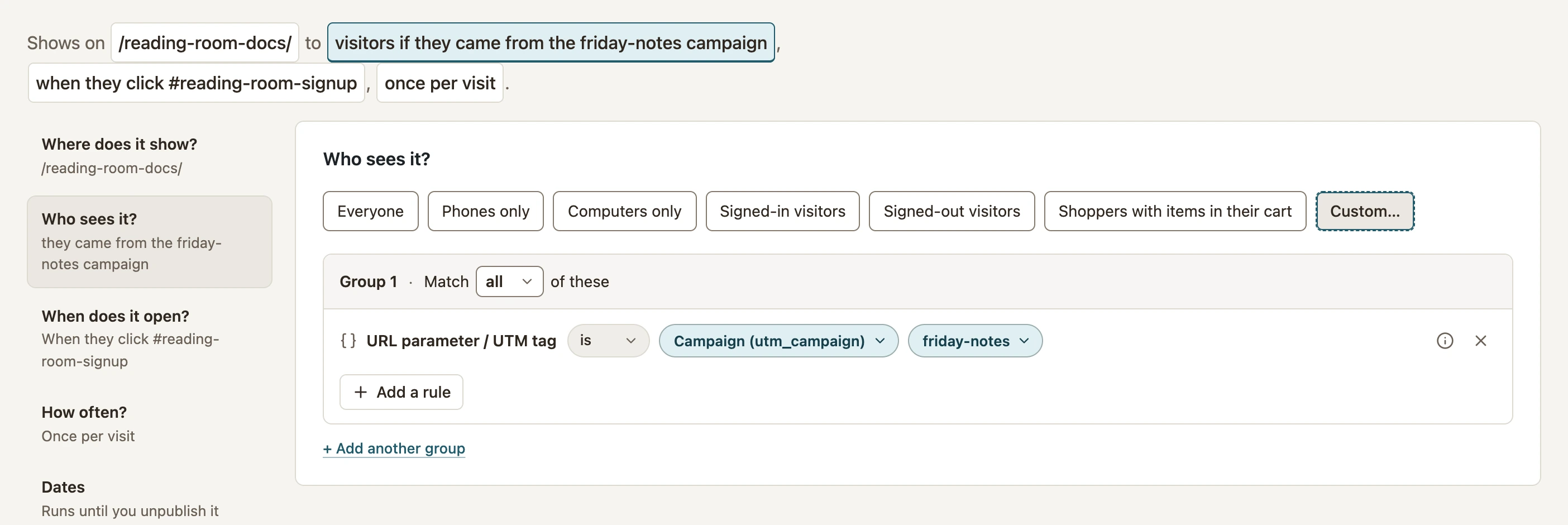 Enlarge screenshot
The menu also has Source (utm_source), Medium (utm_medium) and a custom URL-parameter option. Values are case-sensitive. Multiple listed values are alternatives. An empty value list matches any value when that parameter is present; it does not mean every visitor.
Match where the previous page was
Use Add a rule and choose A search engine, Social media, No referring page, or Where they came from with your own values. For a named site, enter its domain in the condition’s value picker.
The built-in search and social groups cover known services, not every possible host. Use a specific domain when that is the intended condition. A named domain also includes its subdomains.
Test both sides of the condition
- For the URL rule, open the tagged address in a fresh private window and perform the configured opening action.
- Change the value to something else, then test again. It should not match that rule.
- Remove the parameter entirely and test again. Check that a different audience group is not allowing the visit.
- For a referrer rule, follow a real link from the intended source. Pasting the destination address is a different test.
- Navigate to another page and check again; neither the old tag nor the original source should be assumed to persist.
Use the grouped-condition reference before combining a URL-tag group with a referral group. Separate groups are joined with OR.
Include your WConvert version, the page you tested and any error message.