 WConvert
Limit how often visitors see campaigns
Set a campaign’s repeat-display rules and understand how shared site limits affect the result.
On this page
Before you start
These controls are included in Free. Open an existing campaign. You’ll set how often it can appear, then check whether shared settings further limit it.
Limits rely on browser and visit state. They do not identify the same person across every browser or device, and clearing site data can change the result.
Set limits for this campaign
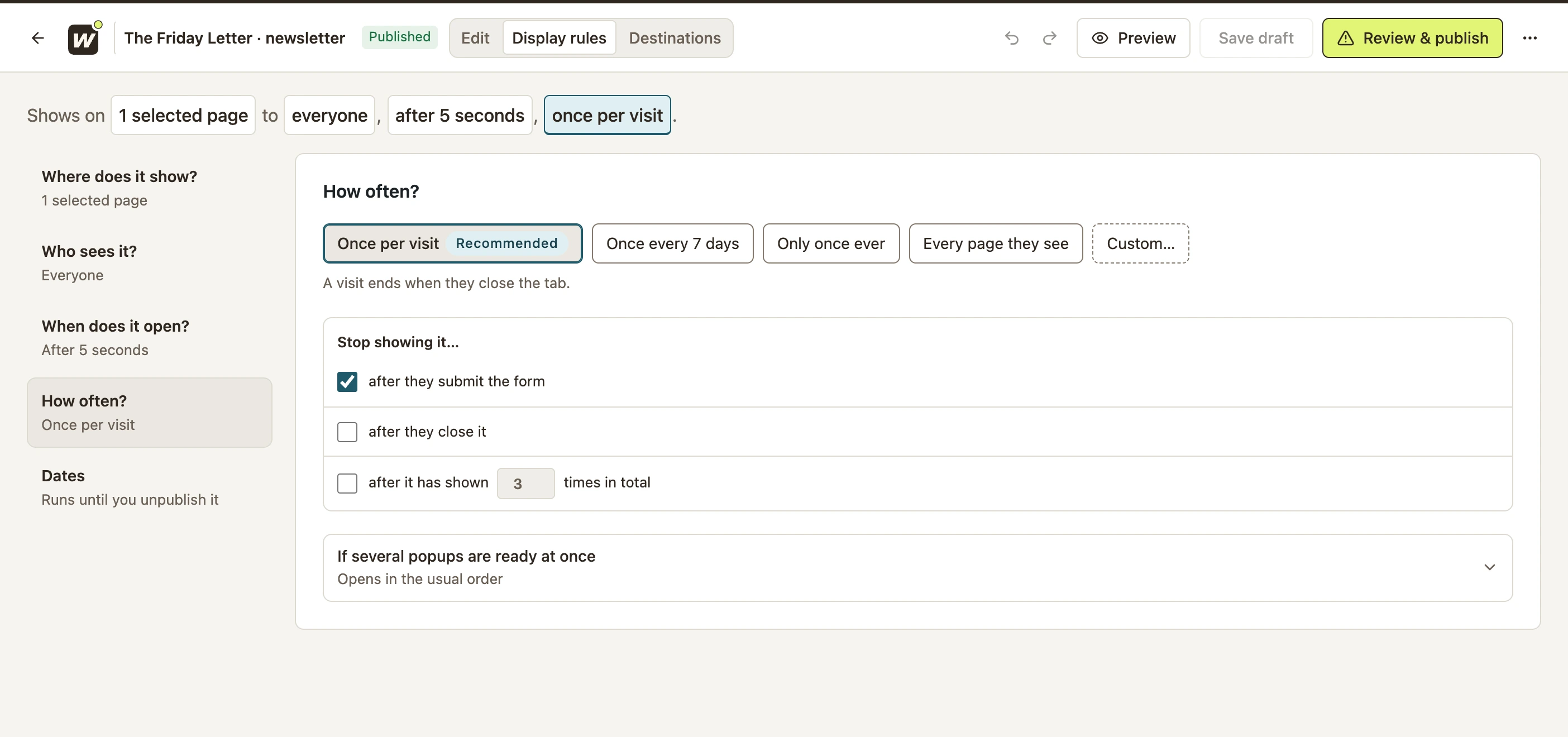
- Open Display rules → How often?.
- Choose a frequency. Once per visit is a useful starting point for a newsletter popup.
- Choose whether to stop showing it after they submit the form or after they close it.
- If needed, enable the total-appearance limit and enter a number.
- Save the draft, then publish when ready.
 Enlarge screenshot
| Choice | Use it when |
|---|---|
| Once per visit | A popup should not repeat during the same visit. The current UI describes a visit as ending when the tab closes. |
| Once every 7 days | You want a longer gap between appearances. |
| Only once ever | You want one appearance for the browser state WConvert remembers. |
| Every page they see | Repeated eligibility is intentional, such as an inline form. Other rules can still prevent display. |
| Custom… | You need a limit beyond the preset choices. |
Check shared site limits
Open WConvert → Settings → Visitor experience. Under Display limits, review:
- Show campaigns at most
- Wait between campaigns
- Stop showing campaigns after a visitor closes one
- Never show campaigns again to a visitor who converts
Select Save display limits if you change them. These are shared settings, so consider all active campaigns before editing them.
Test first-time and returning visitors
- In the campaign, open Preview → Who sees it and select a matching page.
- Set Before this visit to First time here.
- Change it to Saw it earlier this visit. With Once per visit, the result should say it does not open.
- Also test Signed up before if you enabled stop-after-submission.
- After publishing, check a real visit and repeat the action that should suppress the campaign.
Use a fresh private browsing session for a clean first-time test. Do not remove production limits just to make the popup reappear for your own browser. If it is still missing, use the display troubleshooting guide.
Include your WConvert version, the page you tested and any error message.