WConvert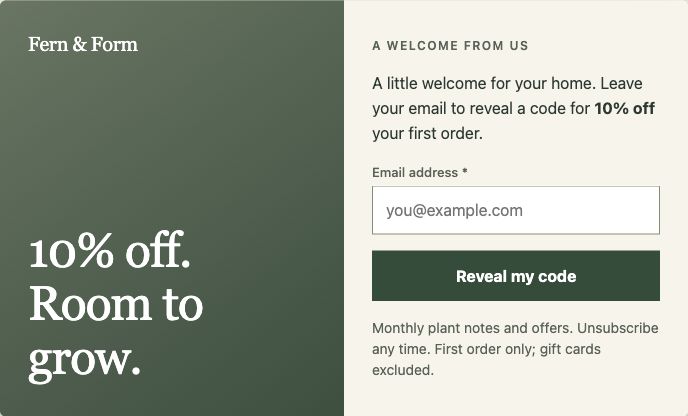

Included in Free
Email, SMS.
Their choice.
Collect email or phone numbers. Invite both with a separate, optional SMS step and clear permission for each channel.
Design popups and forms. Reach the right visitors. Turn a signup into your next connection. Bring it all together, inside WordPress.
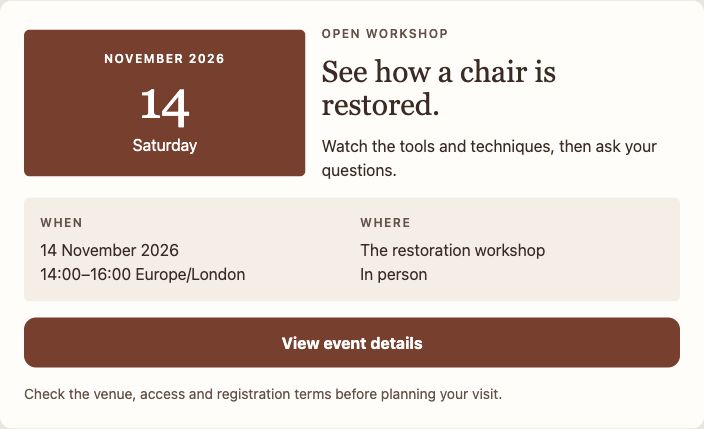
From a simple signup to a new product launch. Start with a considered design, then make every detail feel like you.
Change your words, colors, images and fields. Preview desktop and phone layouts before your campaign goes live.
Need another format? Add floating bars, slide-ins, fullscreen campaigns, automatic in-article placement and content locks with Pro.
Explore formatsPrepare your next campaign, fine-tune a draft or make sense of your results. Keep the conversation going in the AI app you already use.
Set up Black Friday from 20 November to 1 December with a top bar and a popup, as drafts.
Two drafts are ready for Black Friday. Review them in WConvert before they go live.
Can you publish them now?
Publishing is off for AI agents on your site. Both campaigns are still drafts, ready for you to review in WConvert.
Show my newsletter draft only on blog posts, no more than once a week.
Done. The draft is set up for blog readers, with a week between appearances.
Make the headline friendlier, too.
“A little inspiration for your week.” I’ve saved the new headline in your draft. The blog targeting and weekly limit are unchanged.
How did my newsletter popup do in the last 7 days?
It brought in 96 signups from 1,200 appearances. That’s an 8% signup rate.
How does that compare with the previous week?
The previous 7 days had 60 signups from 1,000 appearances (6%). That’s 36 more signups and a 2 percentage-point increase in signup rate.
Publishing stays your choice.
A newsletter. A useful guide. A product recommendation. Give people a reason to respond, and a simple way to do it.
Collect email or phone numbers. Invite both with a separate, optional SMS step and clear permission for each channel.
Keep a longer form approachable. Use Pro questions and conditional paths to tailor what someone sees next.
Free includes linear steps; branching questions and personalized results require Pro.
Offer a useful resource. Email its download link through your WordPress mail setup.
Collect contact details and what someone needs, ready for your team to follow up.
Built-in checks, plus optional Turnstile, reCAPTCHA or hCaptcha verification.
A useful offer belongs in a useful moment. Choose who sees your campaign, where it appears and when to hold back.
Combine page, role and device targeting with delays, scroll triggers, schedules and visitor limits. Add exit intent and advanced targeting in Pro.
 Pro
ProRecommend products from your store, create product quizzes and guide returning shoppers back to their cart.
WooCommerce required for store tools; cart-return campaigns appear on your site.
Find the campaigns people respond to. Test a new idea. Keep the details you need for a useful follow-up.
Track appearances, submissions and offer clicks. Compare periods and follow progress toward your goals.
Compare campaign variants, review their results and choose which one to keep. You make the final call.
Find a submission, see its campaign and accepted wording, then export what you need. All in your local lead log.
Keep leads locally, or send them to a configured destination. Your service takes care of messages, confirmations and unsubscribes.
Explore integrationsSoon WSMS, Klaviyo & HubSpot
MailPoet requires its WordPress plugin. Email providers require an account. Pro webhooks work with Zapier, Make, n8n or your own endpoint. Sending costs are separate.Separate permissions, saved consent wording, retention settings and WordPress privacy tools. Practical controls to support your responsibilities.
Start with the tools you need today.
Leave room for what comes next.
Start with ready-made designs, publish popups and inline forms, and collect email addresses, phone numbers and enquiries. Linear multistep forms, page targeting, schedules, local analytics, lead records and CSV export are included. Connect MailPoet with its plugin installed. WSMS is coming soon.
AI agents can read campaigns and occasions, make drafts from a design or a starter, and review results. The connection is included in Free and Pro. Publishing and pausing require the Let AI agents publish switch, which is off by default. WConvert’s agent tools never return leads or contact details, and delete is never offered.
Choose Pro for more formats, branching quizzes, personalized results, exit intent and advanced targeting, A/B testing, WooCommerce campaigns, and Mailchimp, Brevo, Mailtrap or webhook connections. The pricing page has the complete feature-by-feature comparison.
WConvert captures details and can pass them to your configured services. Your email or SMS provider handles marketing messages, confirmations and unsubscribes. Provider accounts, sending plans and message fees are separate. Lead-magnet download-link emails use your WordPress email configuration.
No. The core campaign, capture, reporting and lead-log tools run in WordPress without a WConvert account or WooCommerce. Store-specific campaigns require WooCommerce; external connections need the corresponding plugin or service account.