 WConvert
One invitation.
More ways to stay close.
Grow your email list. Invite visitors to join by text, too. Create signup forms that feel like your brand, with a clear choice for each channel.
Email capture. Phone capture. Separate permissions.All starting in WordPress.
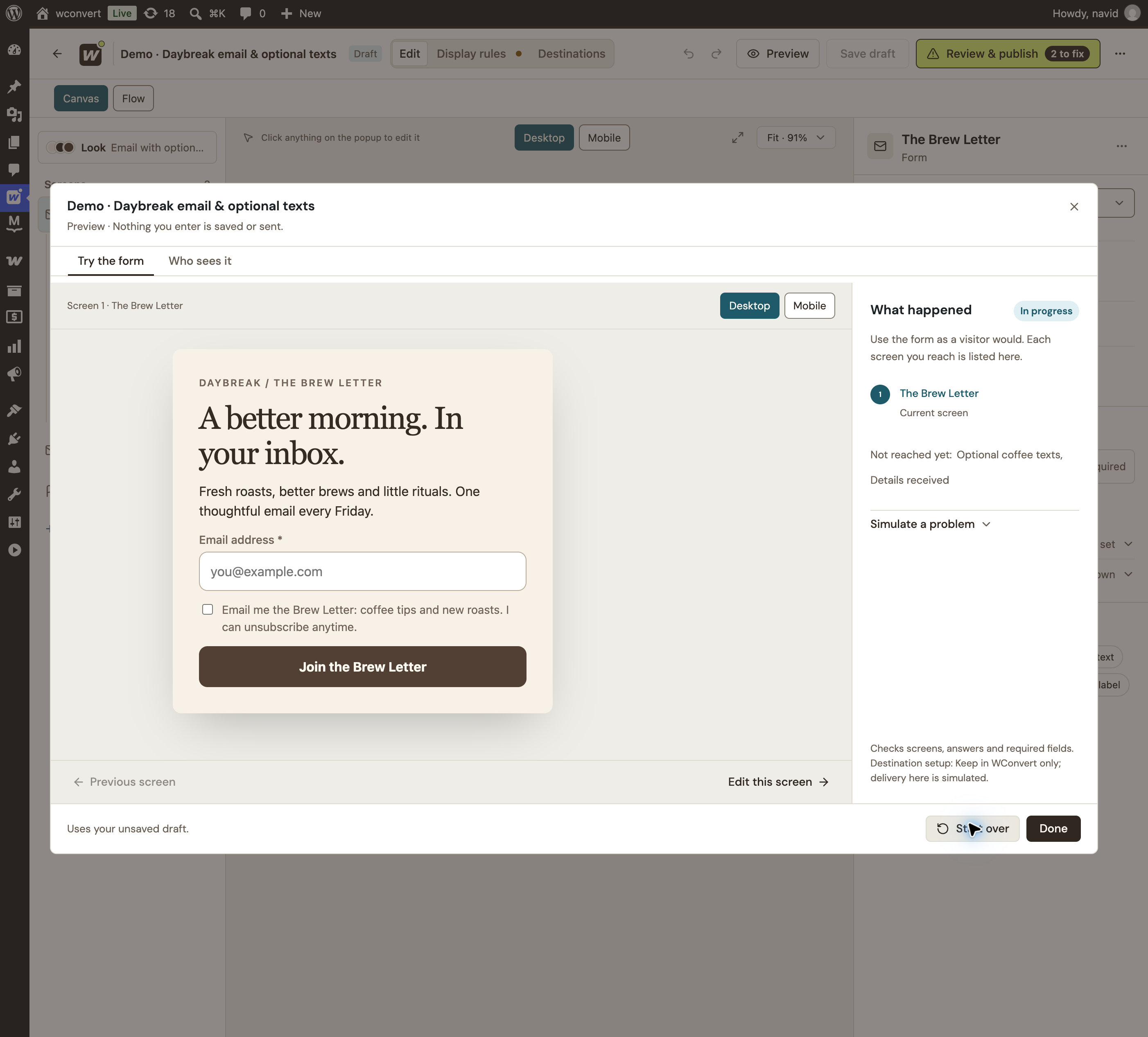
A clear promise. A single email field. Permission in plain sight.

One brand.
Two ways to stay close.
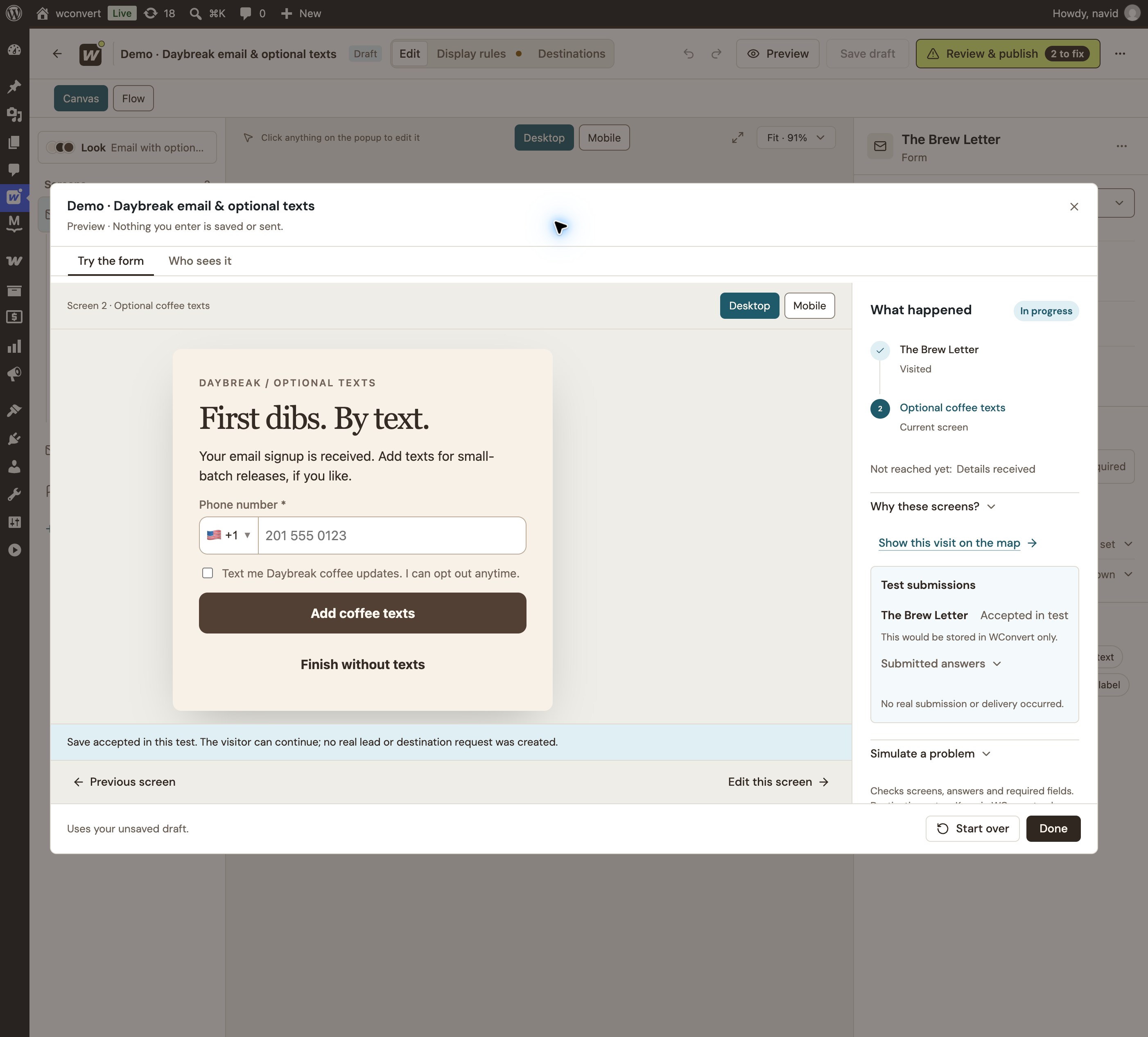
The email comes first. Text updates are a separate choice.
Built in WConvert · Captured from the interactive preview · No live signup or sending
Start with a yes.
Make the next one optional.
Try email, SMS, or both. In the combined journey, the first signup stays with you—even if the visitor skips the second.
Interactive illustration · Sample details only. Nothing is saved or sent.
DAYBREAKGOOD MORNINGS START HERE.
Here’s to
better mornings.
Your welcome offer is ready.
Make the invitation
worth accepting.
A thoughtful newsletter. Early access to a launch. A welcome offer. Give visitors a clear idea of what they’re signing up for.
Ready-made designs included. Customize the content, imagery and fields for your campaign.
Find your starting pointFit the form
to the moment.
Embed a newsletter in your content or give a welcome offer its own popup. Choose where it appears and how often visitors see it.
Explore the form builderStart with a format.
Popups and inline forms in Free. Floating bars, slide-ins and fullscreen campaigns in Pro.
Give visitors breathing room.
Set pages, timing and visitor limits. Add advanced triggers and targeting with Pro.
Learn from the response.
Track captured signups and campaign activity in WordPress, then compare your campaigns over time.
Find the stronger invitation.
Test a different offer or design with Pro A/B testing. Compare campaign results before choosing a winner.
Your forms.
Your favourite tools.
Keep the lead in WordPress. Route each signup to the connection you configure, ready for your provider’s subscription process.
 Free
FreeExample connections. WConvert captures and routes the details. Your service handles sending, confirmation and unsubscribes; service plans and sending fees are separate.
MailPoetEmail contactsFreeMailchimpEmail contactsProBrevoEmail contactsProMailtrapEmail contactsProWSMSPhone contacts plannedSoonKlaviyoEmail & SMS plannedSoonMailPoet requires its plugin on your site. WSMS is coming soon. Other services require an account.
Explore all integrationsKeep the yes.
And what it meant.
Email permission doesn’t stand in for SMS permission. Keep the accepted wording and time for each, alongside the contact’s campaign source.

A specific newsletter promise, next to the email field.

The phone field and text permission stay distinct from email.
Build the list.
Grow from there.
Email and phone capture, linear multistep signups, consent records and MailPoet. WSMS is coming soon. Add advanced targeting, more formats and A/B testing with Pro.
A little clarity.
A confident start.
Can I collect just email or just phone numbers?
Yes. Build an email signup, a phone-only signup, or a combined email-then-SMS journey. Choose the fields and permission wording that fit your purpose. A valid lead needs an email address or phone number.
What if someone skips the SMS step?
In the supported email-then-optional-SMS journey, the submitted email signup stays saved. If they add SMS, the phone number and separate SMS acceptance extend the same lead. Ordinary forms split across screens save on their final Submit action; clicking Next alone does not save a partial lead.
Does WConvert send newsletters or marketing texts?
WConvert collects the details, keeps the lead in WordPress and can pass it to the destinations you configure. Your connected email or SMS service handles its own confirmation, sending, automations and unsubscribes. WConvert is not a bulk email or SMS sending platform.
Can I start without connecting a service?
Yes. Capture leads locally in WordPress, review them and export them to CSV. Connect a supported destination when you are ready. Capturing a record does not by itself confirm a subscription in another service.
Which integrations are included?
MailPoet is included in Free and requires its plugin on your WordPress site. WSMS is coming soon and is not included at launch. Pro includes Mailchimp, Brevo, Mailtrap and webhook connections. Webhooks send signups to Zapier, Make, n8n or your own endpoint. These email connections do not imply support for every SMS feature the provider offers. Klaviyo is planned and marked Soon.
Are SMS messages and email sending included in the price?
WConvert’s price covers the plugin features in your plan. Provider accounts, sending credits, carrier fees and any required service plans are separate. Check your provider’s supported regions and requirements before launching.
Does a phone number count as SMS permission?
No. A phone field and marketing permission serve different purposes. Use clear, separate SMS wording appropriate to your campaign. WConvert keeps the accepted wording and time; your connected provider manages later confirmation, subscription status and withdrawal.