WConvert
Free
Campaign tools · via MCPAI agents
Connect an AI app to read campaigns and occasions, make drafts and review results. You decide whether it may publish or pause.
Explore AI agentsExplore available email, automation and AI connections, plus planned SMS and CRM integrations. Measure campaign activity with your analytics setup and connect supported behavior to your site’s consent choices. Explore 11 included integrations and 3 on the way.
Connect an AI app to read campaigns and occasions, make drafts and review results. You decide whether it may publish or pause.
Explore AI agents
Keep your newsletter and your signup experience in WordPress.
Explore MailPoetSend new subscribers to the audience that fits your campaign.
Explore MailchimpBring new contacts into your customer communication workflow.
Explore BrevoAdd email contacts to a chosen list and map the preferences they share.
Explore MailtrapSend signups as signed JSON to Zapier, Make, n8n or your own endpoint.
Explore WebhooksSend signups to a Zapier Catch Hook with Pro webhooks, then run your configured Zap.
Explore ZapierComing soon: connect captured phone signups to WSMS. Not included in the launch release.
Explore WSMSGrow email and SMS audiences from the same campaign.
Give your sales team the context behind every new enquiry.
Send supported campaign events to your existing GA4 setup. Requires an installed Google tag; WConvert does not install the tracker.
Read the analytics guideMake supported campaign events available to your existing GTM container. Configure tags and triggers to send them to your analytics tools.
Read the GTM setup guideSend supported campaign events to your existing Plausible setup. Requires an installed tracker with custom-event support and configured goals.
Read the Plausible setup guideLet supported display rules read your site’s consent choices through WP Consent API. Requires a compatible consent manager; no cookie banner is supplied.
Read about Pro analytics consentTry another name or clear your filters. If your tool is missing, tell us what you’d like to connect.
Request a connectionFree is available on WordPress.org and Pro is available at checkout. Connected services may have separate fees.
Tell us the tool and what you want to do with it.
Connect an AI app to read campaigns and occasions, make drafts and review results. You decide whether it may publish or pause.
Connect an AI agent“Set up Black Friday from 20 November to 1 December with a top bar and a popup, as drafts.”
Use the ChatGPT desktop app; this connection isn’t available on ChatGPT web. See app setup and requirements.
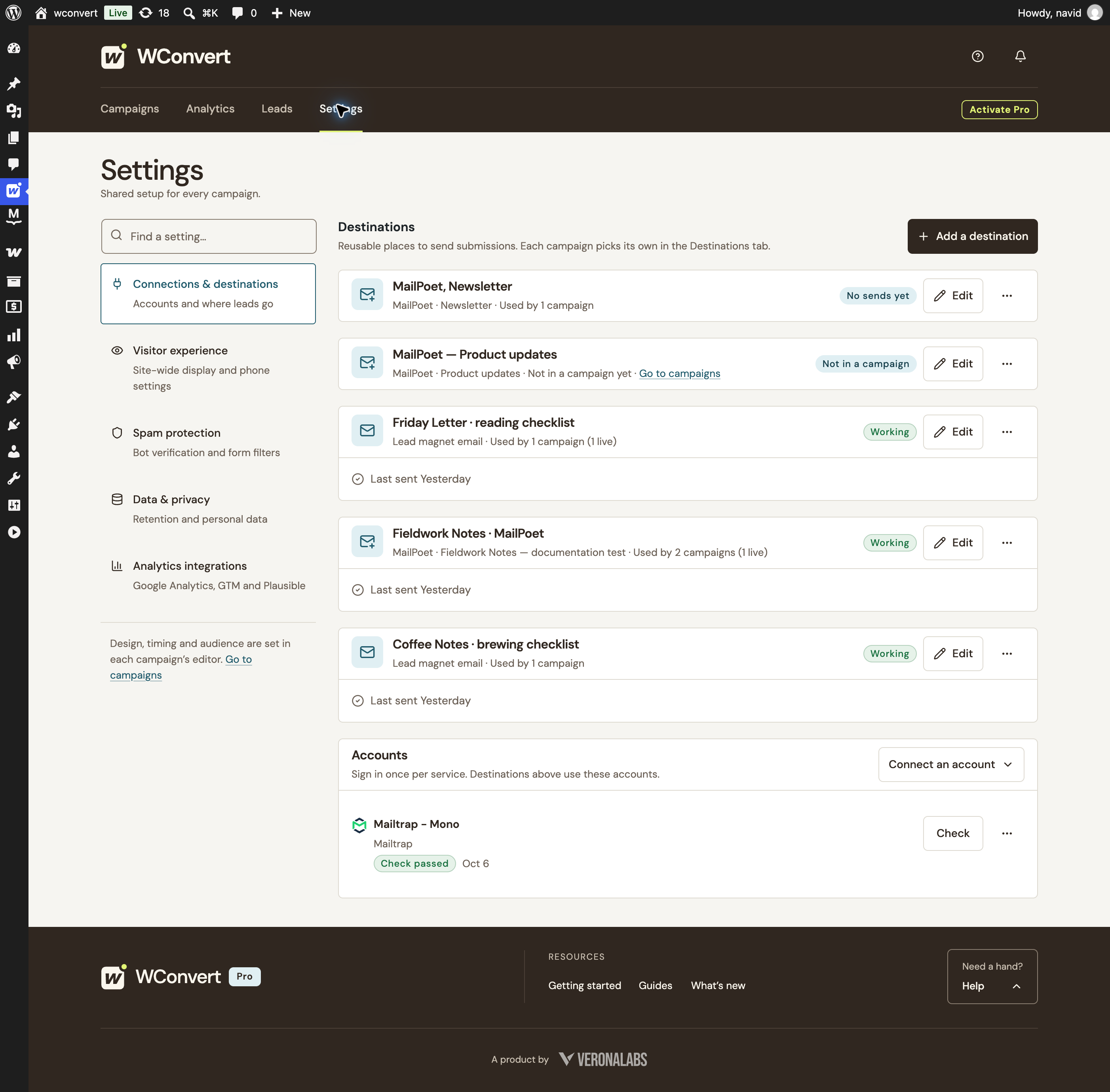
Keep your destinations together. See where each one is used and its latest activity.

Local demo setup · Destination activity, not subscriber status.
Choose a list for your destination, then map the answers your service can use. Here’s what that looks like with MailPoet.
Use a reusable destination for the list. Map a campaign answer to a field in the service.

MailPoet controls signup confirmation. Selecting a list does not replace that process.

A preference to use in your follow-up.
Existing saved draft mapping · Example answer previewed locally · No test contact sent
MailPoet works with its WordPress plugin. WSMS is coming soon. Supported service accounts connect with Pro. Each connection’s details explain its available fields and settings.
Test the connection before publishing. Plan your welcome email, newsletter or SMS in your service; its confirmation, subscription and sending settings still apply.
Review captured details in WordPress, keep the context behind each signup and export leads when you need them. A provider connection adds a next step to that record.
Explore lead management See privacy & consent controlsChoosing a tool is easier when you know where one product ends and the other begins.
MailPoet, AI agent support and WP Consent API support for display rules are included in WConvert Free and also work with Pro. MailPoet needs its WordPress plugin. WSMS is coming soon and is not included at launch. AI agents need WordPress 6.9+ and an active MCP Adapter. WP Consent API needs a compatible consent manager. Mailchimp, Brevo and Mailtrap require Pro and an account with the provider. Pro webhooks require a publicly reachable receiver URL. External analytics connections require Pro and an existing tracker or container.
No. Pro sends supported campaign events through your existing Google tag, Google Tag Manager container or Plausible tracker. Configure the provider and consent handling separately. Free display rules can read WP Consent API when available; without the API, those rules do not automatically block themselves. Pro external analytics has a separate consent setting, whose default WP Consent API mode withholds events when permission is missing or denied.
Yes. Connect Claude, Cursor or the ChatGPT desktop app / Codex to prepare campaign drafts and review results. You decide whether agents can publish or pause. Follow the AI agent guide for app setup and requirements.
These connections add contacts and selected details to your chosen service. You create and send newsletters, SMS campaigns and follow-up automations in that service. WConvert also has a separate, built-in lead-magnet email delivery feature.
Each provider has its own supported behavior. For example, Mailchimp receives new marketing contacts as pending confirmation, while an existing contact’s subscription status is preserved. MailPoet does not restore an unsubscribed status, and the Mailtrap connection does not change subscription status. Check the connection details and your provider settings before publishing.
Your WConvert plan covers the connections included in that edition. Provider subscriptions, SMS credits and other service charges are separate. Check the provider’s terms and pricing for your intended use.
Yes. WConvert Pro webhooks send accepted signups as signed JSON to a Zapier Catch Hook, a Make custom webhook, an n8n Webhook node or your own endpoint. Explore the Webhooks page for examples and a link to the full setup guide.
It marks a planned native connection that is not included yet. The examples describe the intended workflow, not a working integration. We have not announced release dates or plan assignments for these connections.
Yes. WConvert keeps captured leads in WordPress, where you can review and export them. Connecting a service is a separate step. A captured lead is not, by itself, proof of a confirmed marketing subscription or a delivered message.
Build the form in WConvert. Follow up with the tools you trust.