 WConvert
A number to call back
Require the phone number. Keep the name optional.
Some questions are easier to talk through. Let visitors leave their number and a little context, so your team can pick up the conversation.
Phone capture & inline campaigns included in Free. ROOM / RENOVATION STUDIO
Choose a project and try the example. See what your visitor receives—and the details your team can use to follow up.
Leave your number for a conversation about your project and the next steps.
We’ll use your number to respond to this request. A call time will be agreed separately.
Thanks, Alex. The studio has your number and will review your request before getting in touch.
This acknowledgement confirms the request. It does not book an appointment.
Demo only. Fixed fictional details; nothing is saved or sent.
A phone number is more useful when you know why someone wants to hear from you.
Try the request to see the captured details.
Illustrative lead preview. WConvert captures the request; your team makes the call.
Explore lead managementBegin with a phone number. Add the details that genuinely help someone return the call, and leave the rest for the conversation.
Explore multistep formsRequire the phone number. Keep the name optional.
Ask for the topic, or use the choice field for a preferred contact window.
Use extra questions for the project and a preferred time. State the timezone; confirm availability separately.
Offer a callback where visitors are considering a decision. Match the invitation to the service they’re exploring.
Place a short request form below your service details, with the WConvert block or shortcode.
Use a considerate delay or scroll trigger on relevant pages, with limits on repeat appearances.
Let a “Request a callback” button open the form when the visitor chooses to take that step.
The visitor sees an acknowledgement.
Your team checks the details in Leads.
Use your existing process and phone tools.
Decide who will review incoming requests and how your team will respond. Set expectations you can meet, especially outside your working hours.
A callback request is permission to respond to that enquiry. Keep ongoing email or SMS marketing separate.
Start with the Free Callback notes template. Adapt the words, colours and optional topics to your business, then place it on your service page.
Explore the template library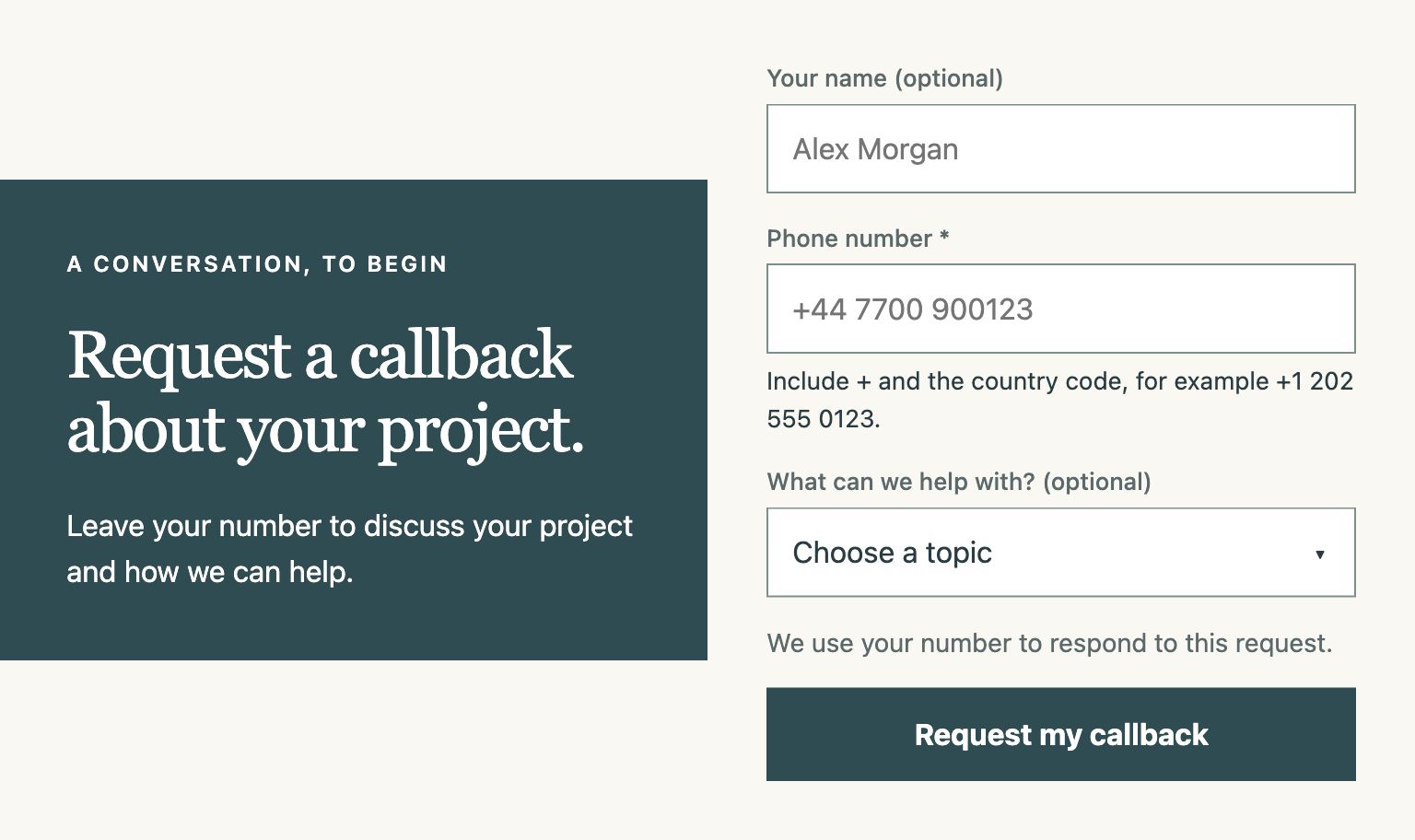
No. WConvert captures the callback request and keeps it in Leads in WordPress. Your team reviews the request and returns the call using your existing phone or business tools. It is not a dialler, call centre or call-routing service.
No. The acknowledgement confirms that the request was received. Your team still needs to agree a time and confirm availability. A preferred contact window is helpful context, not a live calendar slot or a reservation.
Yes. The Free Request a callback starting point requires a phone number and offers optional name and topic fields. You can keep the invitation short and explain that the number will be used to respond to this request.
Yes. You can use the form’s optional choice field for a contact-window preference instead of a topic. If you need multiple questions, Pro journeys can collect additional choice or short-text answers before the contact submission. State the relevant timezone and agree the actual call time separately.
A callback request and an ongoing SMS marketing signup have different purposes. Explain that you are collecting the number to reply to the request. If you also offer marketing, present that separately with its own wording and permission.
Accepted requests are stored in Leads on your WordPress site, with the captured details and context. You can review them and export CSV, or configure a suitable destination for your workflow. The Collect enquiries goal counts captured requests; it does not prove a completed call, confirmed appointment or sale.
Give visitors a simple way to ask, and your team a useful place to start.