Resource email in Free Local WordPress lead records
A USEFUL FIRST EXCHANGE
Make the offer tangible. Keep the signup simple.
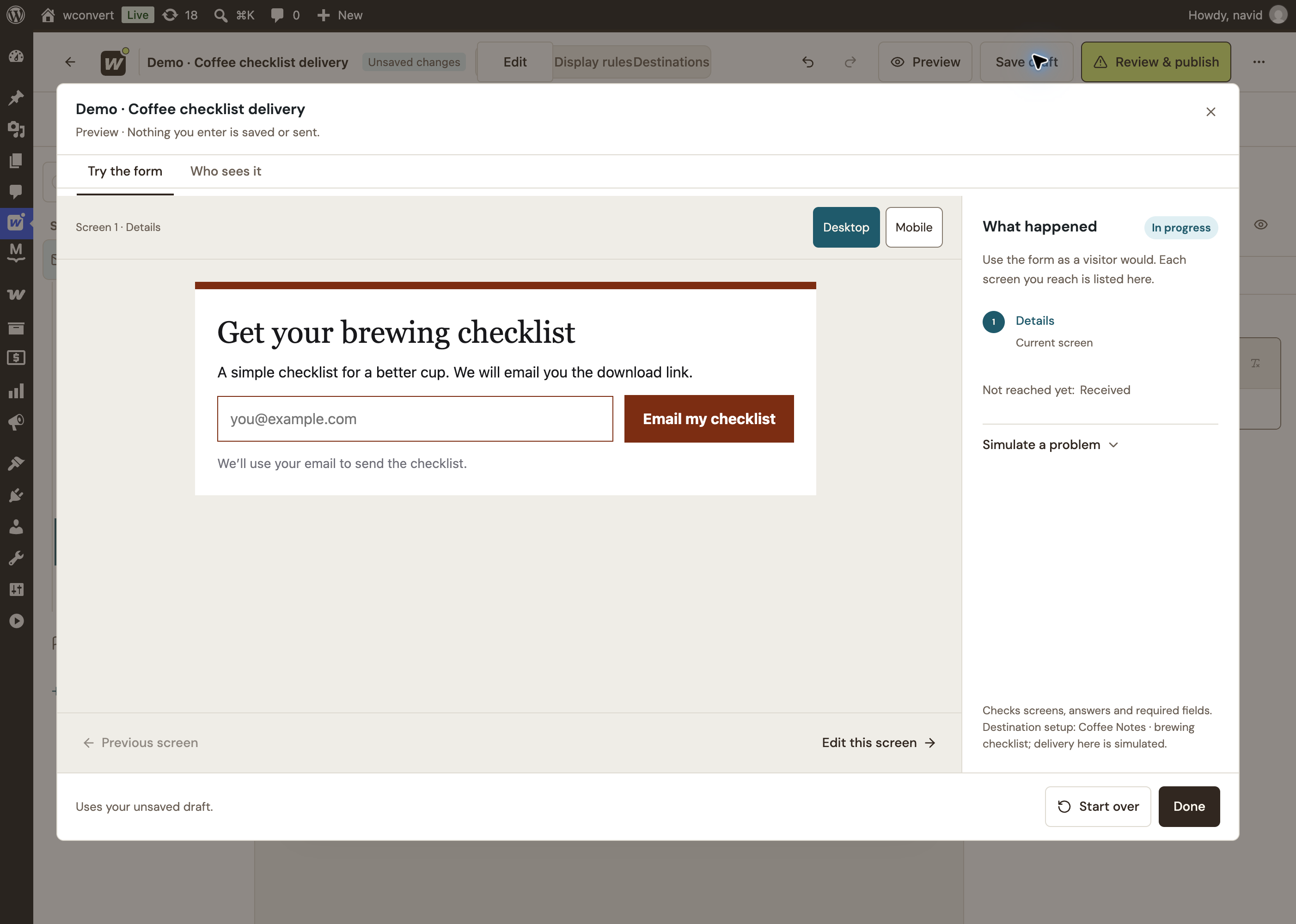
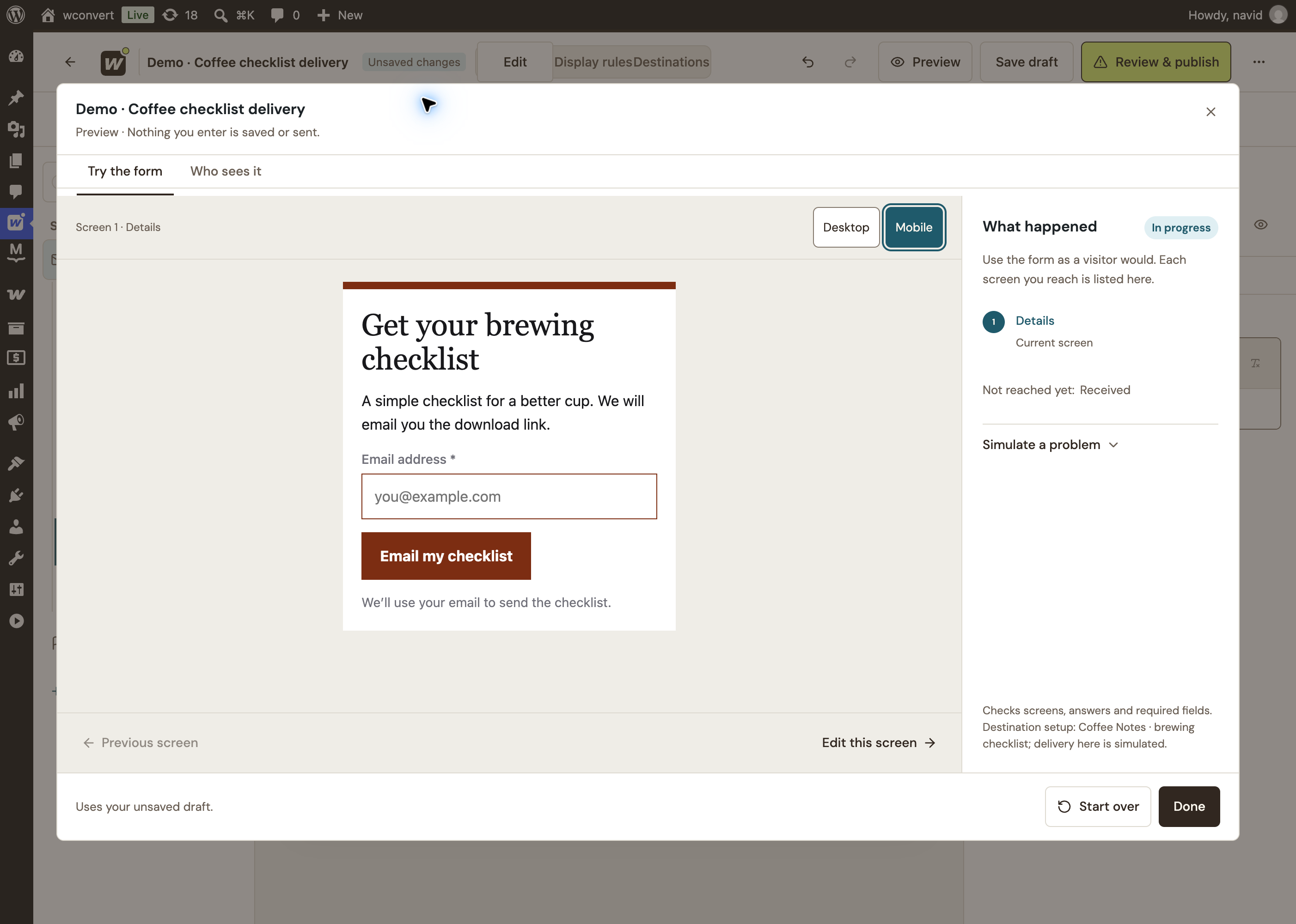
Show visitors what they’ll get, then give them a clear way to request it. WConvert captures the lead on your WordPress site and hands off the configured resource email.
COFFEE NOTES / FIELD GUIDE 01
A better everyday cup.
Your brewing checklist
GRIND · WATER · BREWCN.
Guide cover
01 / THE INVITATION
↳
The promise is specific. One useful checklist. One clear action.
A lead magnet is a useful resource people request. Make its value clear before asking for their details. Then make the next step just as helpful.
Check the mobile view Test the contact form Read the final headline Open every important link
CHECKLIST / BEFORE YOU GO LIVE
A CHECKLIST · HELP THEM FINISH
Make the next task lighter.
Turn your process into a small, usable checklist. A specific job gives visitors a clear reason to request it.
Fits: how-to posts, service pages, project tutorials.
THE INDEPENDENT STUDIOYour next project, mapped.
THE OUTCOMETHE FIRST SMALL STEPWHAT SUCCESS LOOKS LIKE
WORKSHEET / MAKE A LITTLE PROGRESS
A WORKSHEET · HELP THEM BEGIN
Give them a place to start.
A brief, planning sheet or reusable document turns a blank page into something they can act on.
Fits: consulting, workshops, creator resources.
Bring your own file or resource URL; WConvert creates the invitation and captures the request.
KEEP THE PROMISE SIMPLE
A link for later. A next step for now.
Set up the resource email, then decide what visitors should see after submitting. Both should point to something useful that you’ve prepared.
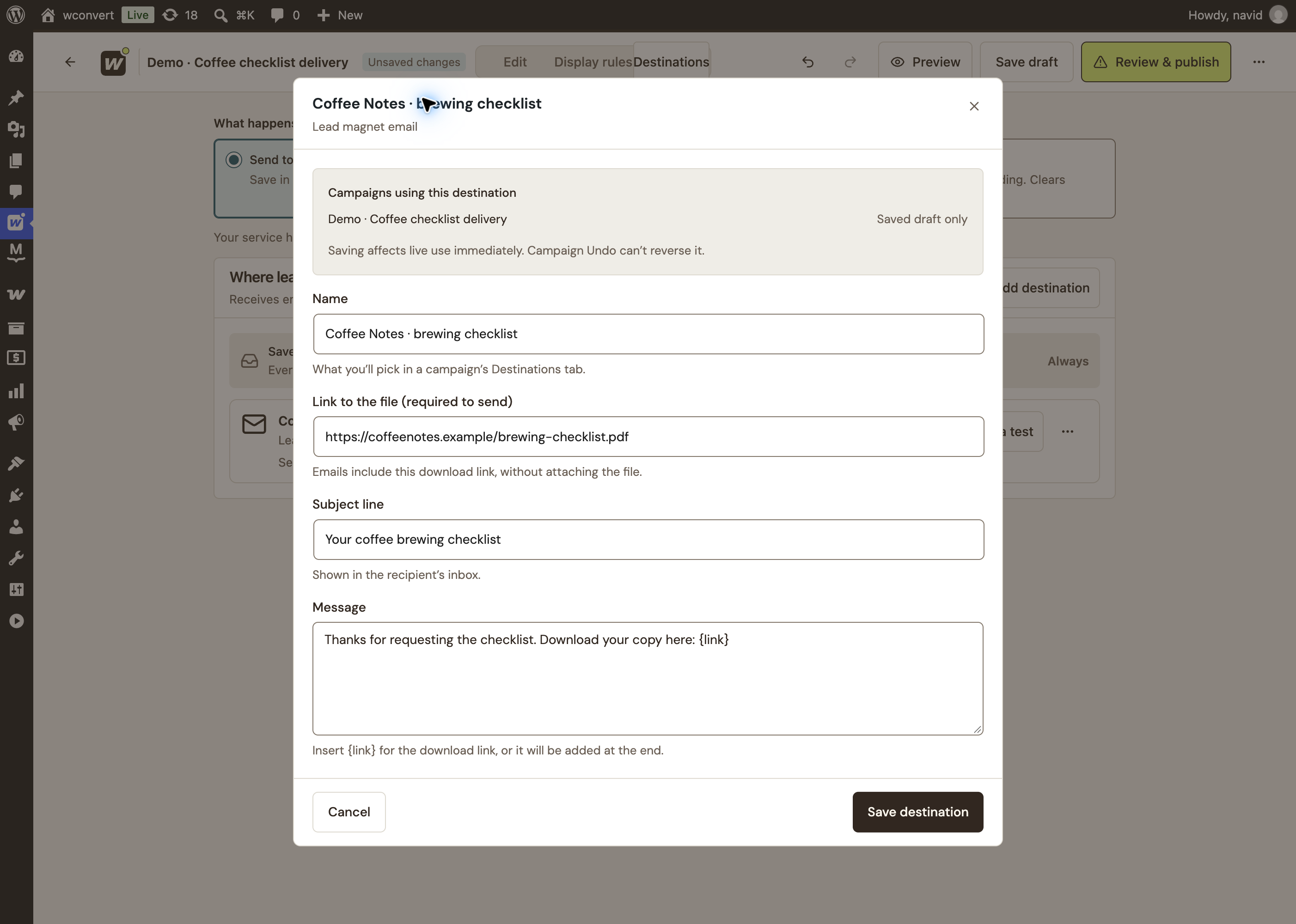
LEAD MAGNET EMAIL
A link, with a personal hello.
Choose the file to share and write the email that accompanies it.
{link}Becomes your resource URL in the email message.
Sent through your WordPress mail setup. The file is linked, not attached.
Coffee Notes · brewing checklistDemo settings
Swipe or use arrow keys to explore the settings →
WCONVERT DESTINATION EDITOR
Actual lead-magnet email settings with an example resource URL. Included in Free; no newsletter platform required.
RESOURCE LINK AFTER SUBMISSION
Give the success screen a purpose.
Add a clearly labelled Resource link after the primary submission. Visitors can open your file or page without another form or counted conversion. This complements the email destination required by the lead-magnet goal.
You bring the resource. Host it on your site or a file service you control. Check that the link works for a visitor who isn’t signed in. Hosting permissions and file access stay with that service.
THE RIGHT RESOURCE, IN THE RIGHT PLACE
Make it the natural next step.
A launch checklist belongs beside advice about launching. A planning worksheet belongs beside the problem it helps solve. Let the page give your offer its context.
Popup and inline forms, core timing and page rules are included in Free.
A REQUEST IS A SPECIFIC PROMISE
The resource first. The relationship by choice.
Someone asking for a checklist is asking for that checklist. Explain how you’ll use their details. If you also want to send a newsletter, make that a clear, separate invitation.
Yes. Free includes the lead-magnet email destination, popup and inline forms, linear multistep campaigns, core display rules and local lead records. The Deliver a lead magnet goal requires an email field and a configured lead-magnet email destination before publishing. Your site still needs a working mail setup and a valid resource URL.
Where does the resource live?
Host the resource on your website or a file service you control, then supply its URL. WConvert emails a link rather than attaching a file. File permissions, availability and access protection are managed by your host, not by the signup form.
Can visitors open the resource after submitting?
Yes. Add a Resource link to a screen after the primary submission and configure its label and URL. It can open a file or page. It does not force a download, add another conversion or replace the email destination required by the Deliver a lead magnet goal.
Do I need an email marketing service?
Not for the built-in resource email. WConvert uses your WordPress mail setup to send the configured subject, plain-text message and resource link. An email marketing service is separate and is useful for newsletters or ongoing campaigns when you have permission for that purpose.
Does requesting a resource subscribe someone to my newsletter?
A resource request and ongoing marketing are different purposes. Explain what the request is for, provide the relevant privacy information and ask clearly for any separate newsletter permission. WConvert stores capture evidence; your email service manages subscriber status and confirmation.
Can WConvert confirm that the email arrived or the file was downloaded?
No. The lead-magnet report counts emails accepted by the site’s mail service, not inbox arrival or file downloads. Resends can count again. Test the email and resource link before publishing, and use your mail or file service for any further delivery information.
YOUR FIRST RESOURCE CAMPAIGN CAN START IN FREE
Make something useful. Give it a way to reach people.
Start with one resource and a focused invitation. Choose from the bundled designs and make the campaign your own.
 WConvert
 GUIDE / SEVEN PRACTICAL IDEAS