 WConvert
Open a campaign when visitors leave or scroll back up
Choose an exit gesture, understand its limits, and test it on the actual page.
On this page
Before you start
You need Pro and an overlay campaign, such as a popup. Use a test page with enough content to scroll. Inline forms and content locks use placement instead of this opening gesture.
Keep the offer useful and easy to dismiss. Start with a modest repeat limit such as once per visit.
Choose the opening gesture
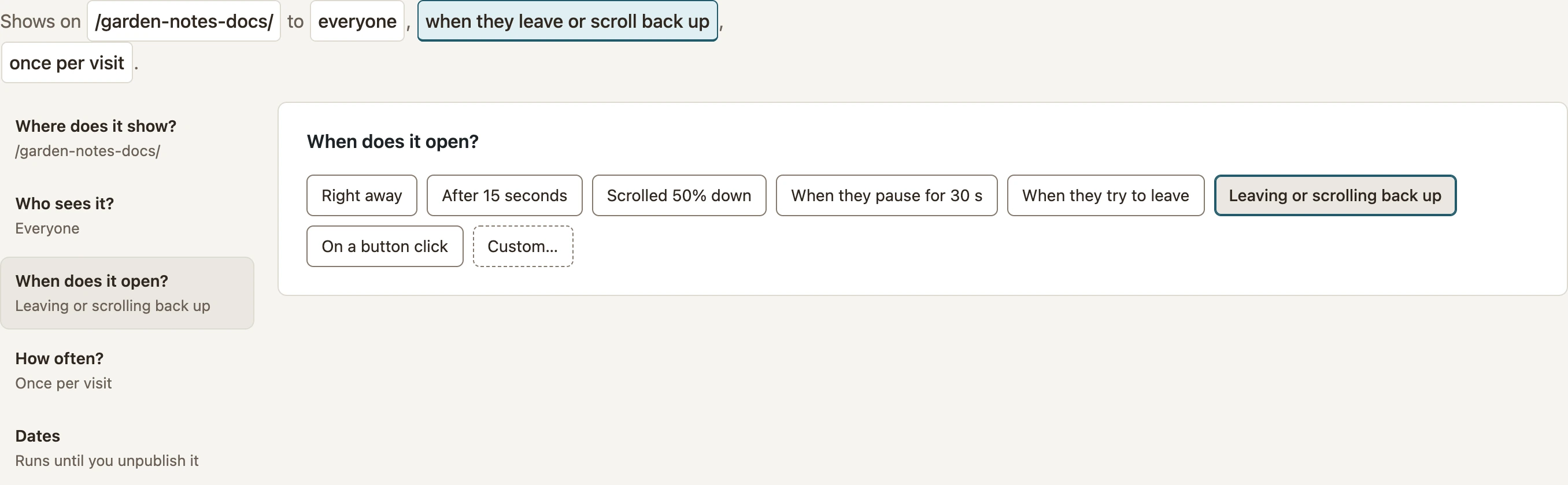
- Open the campaign’s Display rules.
- Under Where does it show?, select your test page.
- Open When does it open?.
- Choose When they try to leave for the pointer exit gesture, or Leaving or scrolling back up for either gesture.
- Review frequency and dates, then save and publish.
 Enlarge screenshot
Understand what the gestures detect
| Setting | What it means |
|---|---|
| When they try to leave | The pointer leaves the page through its top edge. It does not detect a tab closing, a browser Back action or every intention to leave. |
| Scrolling back up | The visitor has scrolled at least 300 pixels down, then moves at least 200 pixels up from the deepest point reached. |
| Touch devices | There is no normal mouse-exit gesture. Use the upward-scroll option or another suitable trigger and test it on the device. |
| Combined with a delay | The gesture must happen after the minimum delay has passed. An earlier exit or upward scroll is not saved for later. |
Test both sides of the rule
- Open a fresh session on the published test page. Confirm that the campaign does not open immediately.
- For exit, move the pointer inside the page, then out through its top edge.
- For upward scroll, start a fresh visit, scroll well down the page, then scroll upward by more than 200 pixels.
- Repeat on mobile for the upward-scroll option. Check that the offer fits and closes cleanly.
Frequency and previous conversions can prevent repeat tests in the same browser. Check the display inspector before weakening your production rules. See My popup does not appear.
Still stuck?Tell us where you got to
Include your WConvert version, the page you tested and any error message.