 WConvert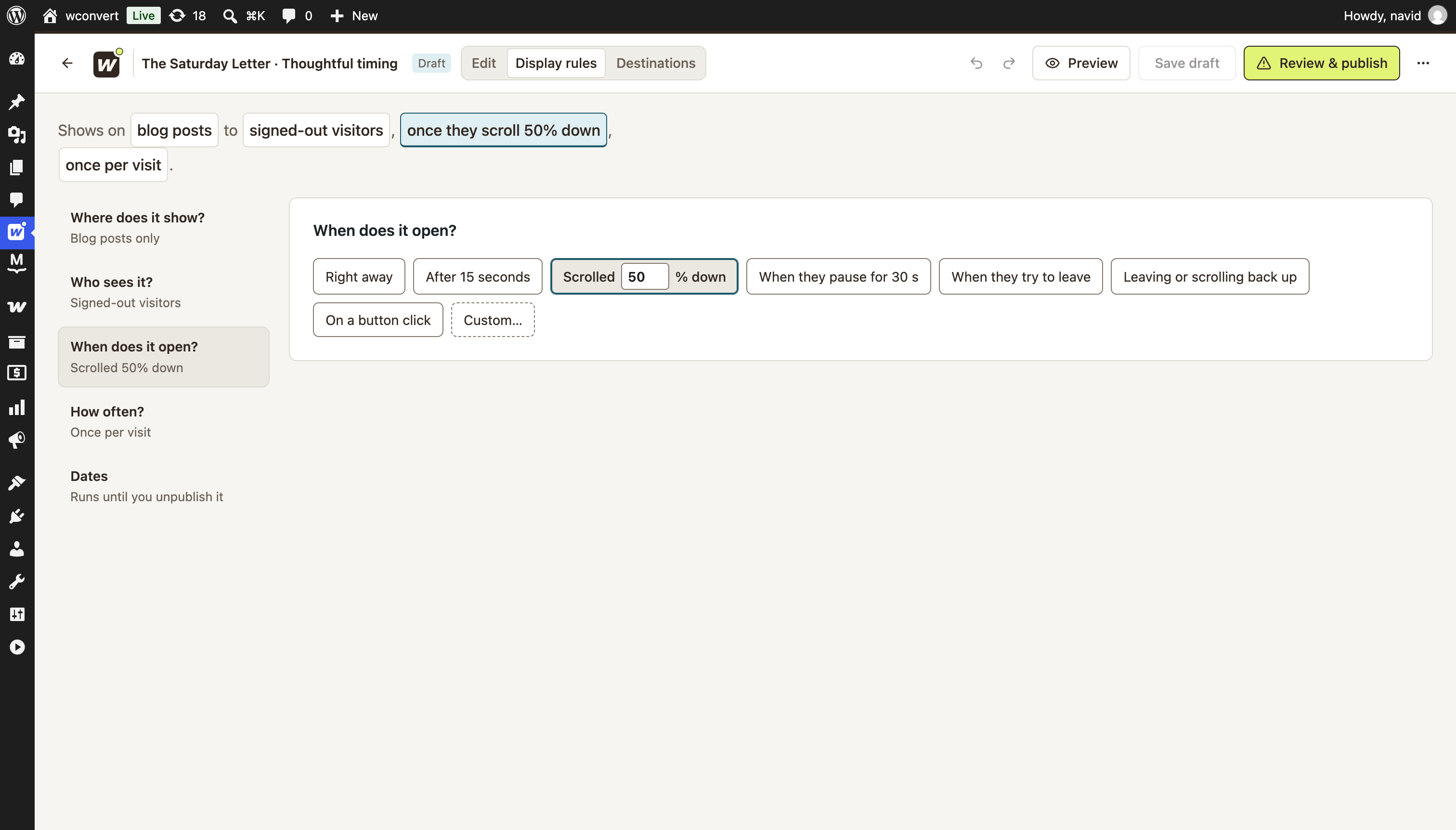
Where does it show?
Pick relevant pages, posts or URL paths. Add exclusions for places you want to leave alone.
Journal pagesExclude /checkout/*
Meet visitors where it makes sense. Choose who sees your campaign, when it opens and when to leave them to it.
Let them enjoy the story before inviting them to the next one.
Start with the common choices. Open the custom rules when you need more control. WConvert turns your answers into a plain-language summary.
Pick relevant pages, posts or URL paths. Add exclusions for places you want to leave alone.
Choose devices, sign-in status or WordPress roles. Pro adds conditions such as referrer and URL parameters.
Wait a few seconds, a scroll depth or a pause in activity. Pro adds leaving, scroll-up and click triggers.
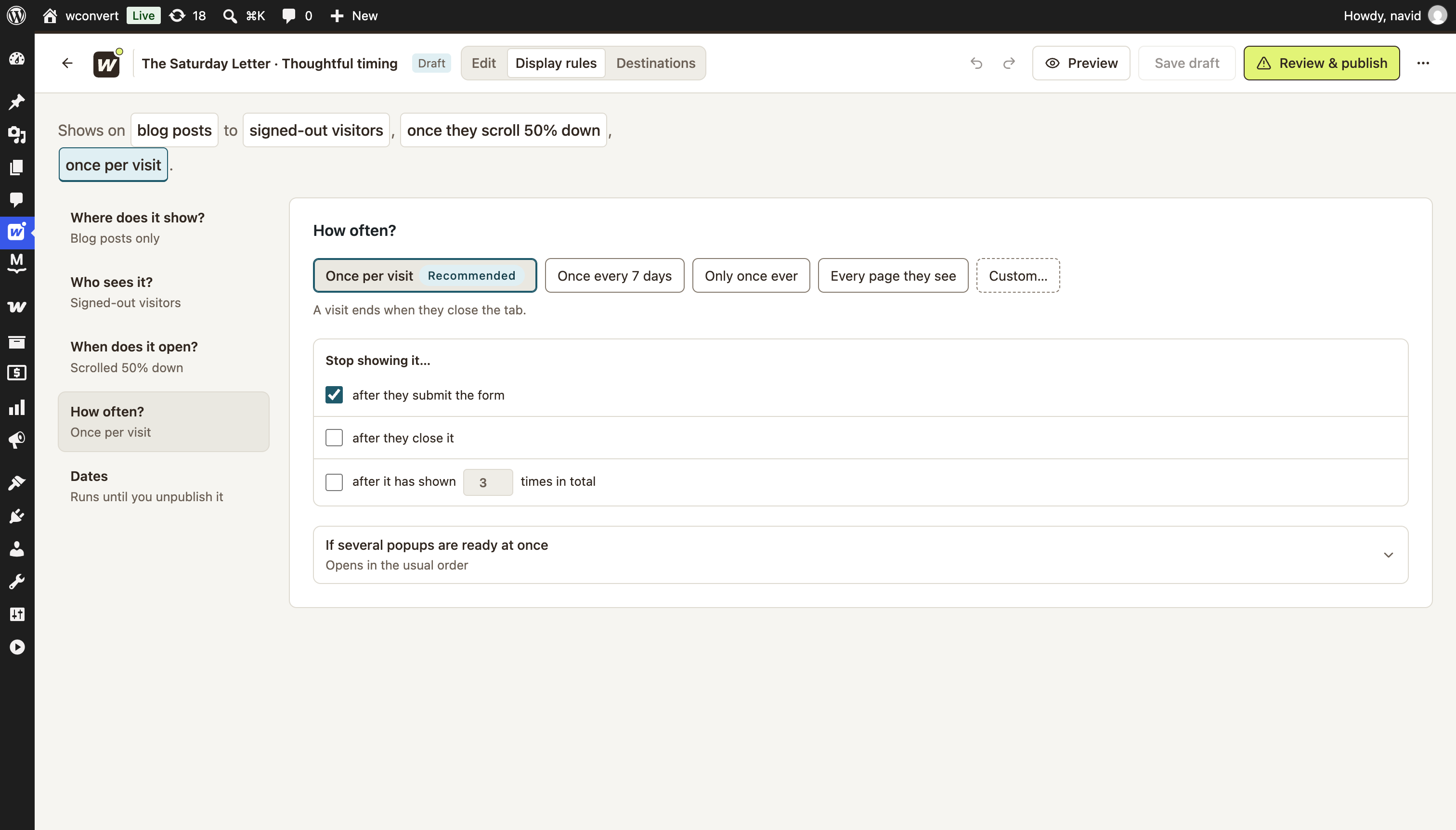
Limit repeat appearances. Set a gap between invitations or stop after someone closes or completes a campaign.
Schedule a launch or seasonal offer. Set a start and end in your WordPress site’s timezone.
“Shows on journal pages to signed-out visitors, after 50% scroll, once per visit.”
EXAMPLE RULE SUMMARYA good invitation knows when its work is done.
Stop after signup · included in FreeChoose once per visit, or leave a set number of days between appearances. You can also stop after dismissal when someone closes the offer.
Set site-wide limits and campaign priority, so your campaigns don’t all compete for the same moment.
Go beyond a timer. Use an action, a traffic source or a shopping context to make the next step more relevant.
Open a campaign from a chosen button or link. Let the visitor decide when they’re ready for your guide, offer or signup.
CLICK-TO-OPENShow an offer for a particular campaign link or referring site. Keep your on-site invitation connected to what brought them here.
REFERRER & URL PARAMETERSUse exit intent on pointer devices, or a scroll-up trigger. Add minimum time on the page before an eligible gesture can open the campaign.
EXIT INTENT & SCROLL-UP Make shopping context part of the picture. Pro also supports WooCommerce cart conditions.
Use Preview → Who sees it in the editor to try hypothetical visitor situations and see what allows or prevents an opening. Explore the illustrated example below.

 The weekend collectionYour order is ready to review.
Room to finish checking out.
Independent makers, considered interiors and one good idea for your home.
Your email address Send me the next issue Illustration only · No signup is collected.The page matches, but this visitor has only scrolled 10%. The campaign waits.
Interactive illustration of display rules, not a live campaign. Visits, scroll positions and signup history are simulated.
| Choose the moment | Free | Pro |
|---|---|---|
| Page, role & device targeting | Included | Included |
| Delay, scroll & inactivity triggers | Included | Included |
| Schedules & visitor frequency limits | Included | Included |
| Exit intent, scroll-up & click-to-open | — | Included |
| Referrer & URL-parameter targeting | — | Included |
| Reopen buttons for dismissed offers | — | Included |
All Pro site plans include the same features. From $49/year for one site, in USD.
Page, role and device targeting; delay, scroll-depth and inactivity triggers; schedules; and visitor frequency limits are included in Free. Pro adds exit intent, scroll-up, click-to-open, referrer and URL-parameter targeting, plus more advanced audience conditions.
A visit means a browser tab session, normally ending when the tab closes. It is not a permanent record of a person. Restored or copied browser sessions may retain the limit, and blocked storage can limit it to the current page.
Yes. Under How often?, enable “Stop showing it… after they submit the form.” WConvert uses the completion recorded in that browser, rather than looking someone up in your email service. Another device, cleared storage or unavailable storage can change what the site remembers.
Exit intent observes a pointer leaving toward the top of the page. It is not a guarantee that a person intends to leave, and touch-only devices do not provide that mouse gesture. Pro also offers scroll-up and explicit click triggers; choose a behavior that suits your audience.
Yes. Choose the pages first, then combine audience conditions and opening rules. You can require all conditions or allow alternatives. Page exclusions still apply across audience groups. The editor checks incompatible combinations before publication.
Yes. Preview → Who sees it lets you try hypothetical visitor facts and see why the draft would or would not open. It does not load a real visitor’s page, collect a signup or count a visit. The live inspector is available separately for diagnosing a published campaign.
The end time stops new openings. A visitor already in an open campaign can finish it. Scheduled dates use your WordPress site’s timezone.