 WConvert
THE RIGHT FIT
PRO · WOOCOMMERCEChosen for your answers
Help them find their fit.
Guide shoppers to products from your catalog. Select the products yourself, or use categories and attributes to shape the results.
Explore the shopping journeyMake signup feel like a conversation. Start with a simple multistep form, or guide visitors to a more personal result with branching quizzes in Pro.
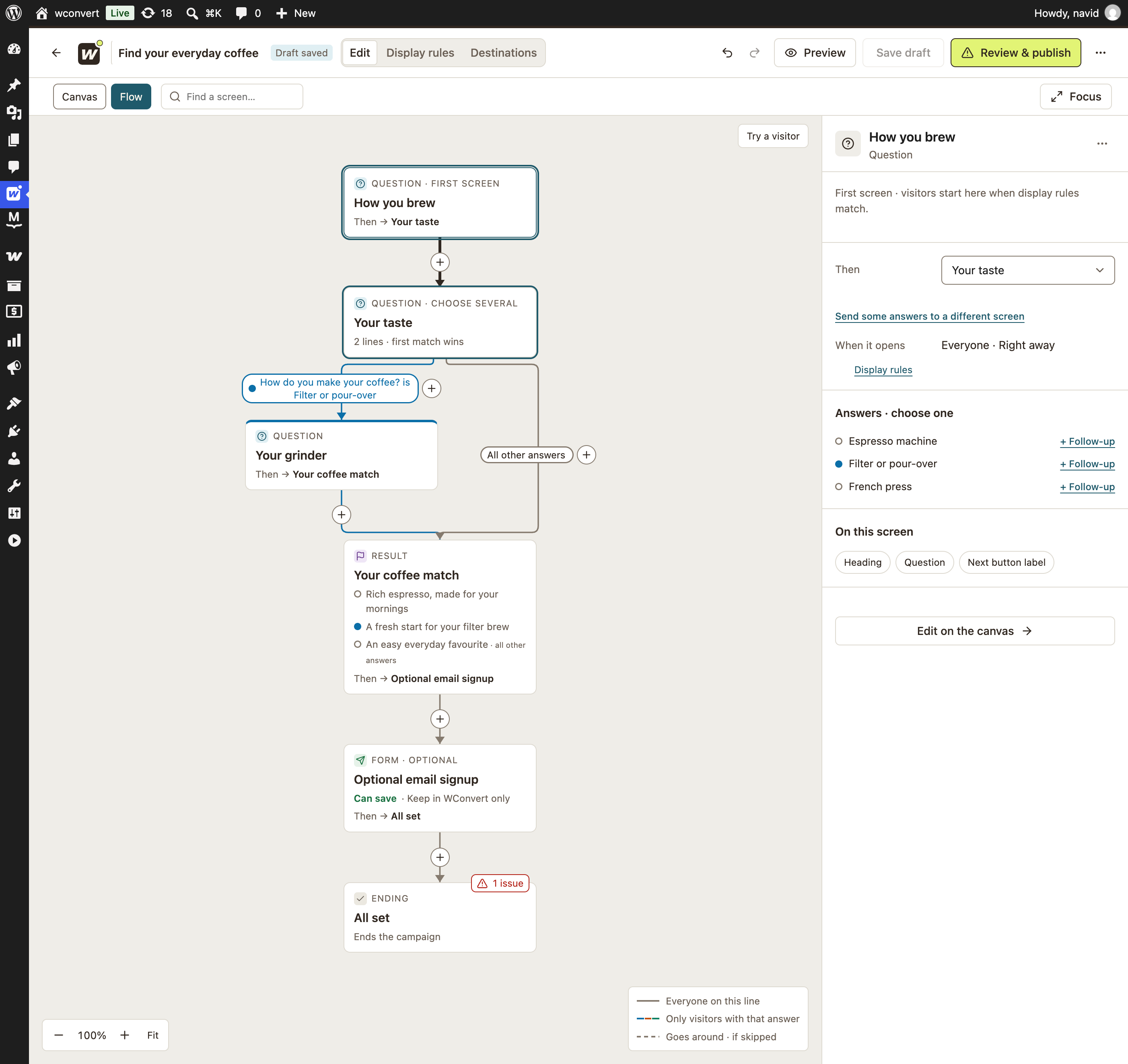
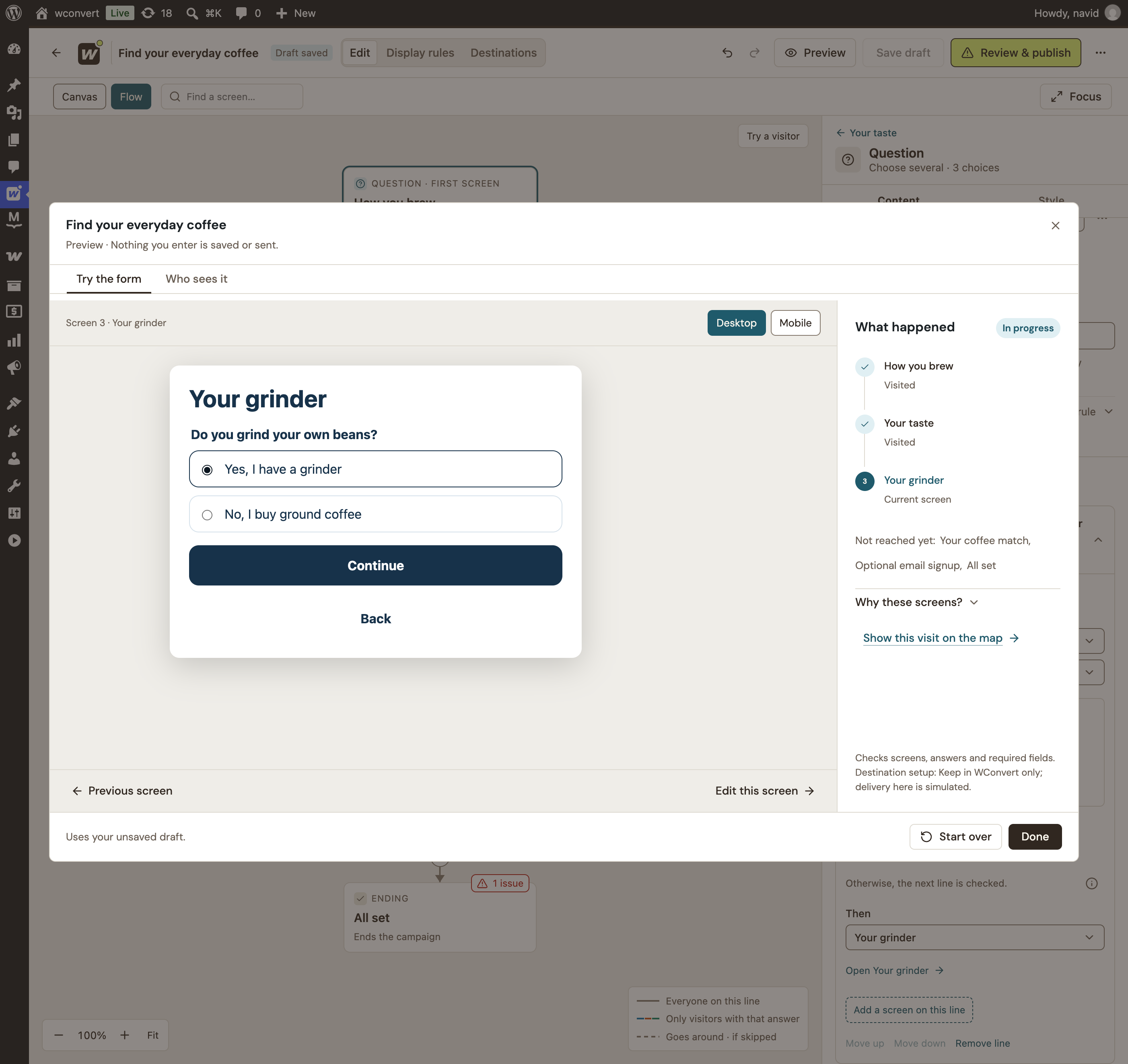
Built in WordPress. Styled by you. One step at a time.Connect questions and results in the flow editor, then try the journey as a visitor. See how one answer leads to a more relevant next step.
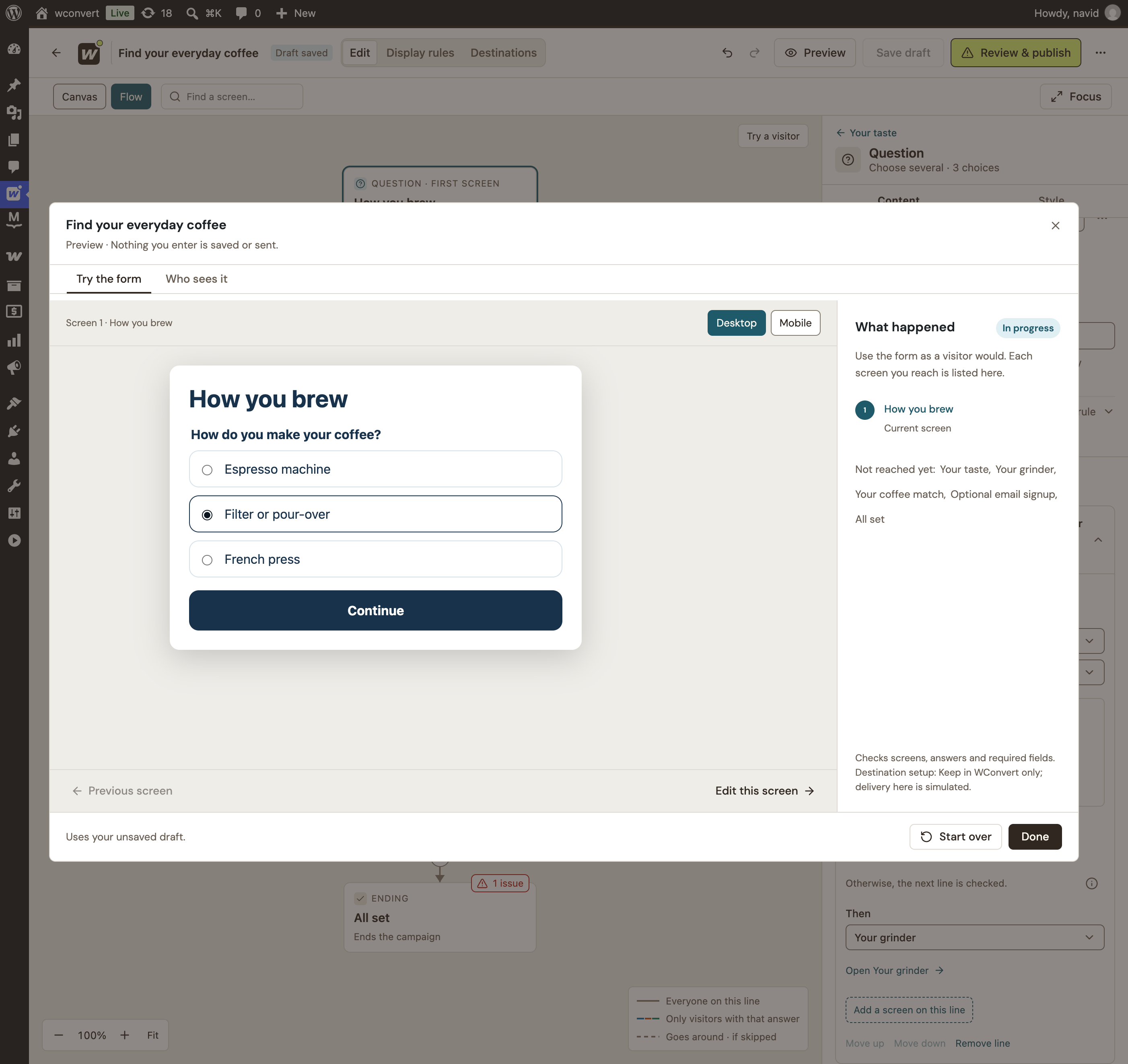
Start with one easy question.
Their answer helps shape the rest of the journey.

Your morning.
Your kind of coffee.
Let’s start with what’s on your kitchen counter.
A good match should work with your everyday cup.
Chocolate · caramel · toasted almond
Someone who drinks espresso needs a different follow-up from a filter fan. Connect each answer to the right next question, then give them a result that makes sense.
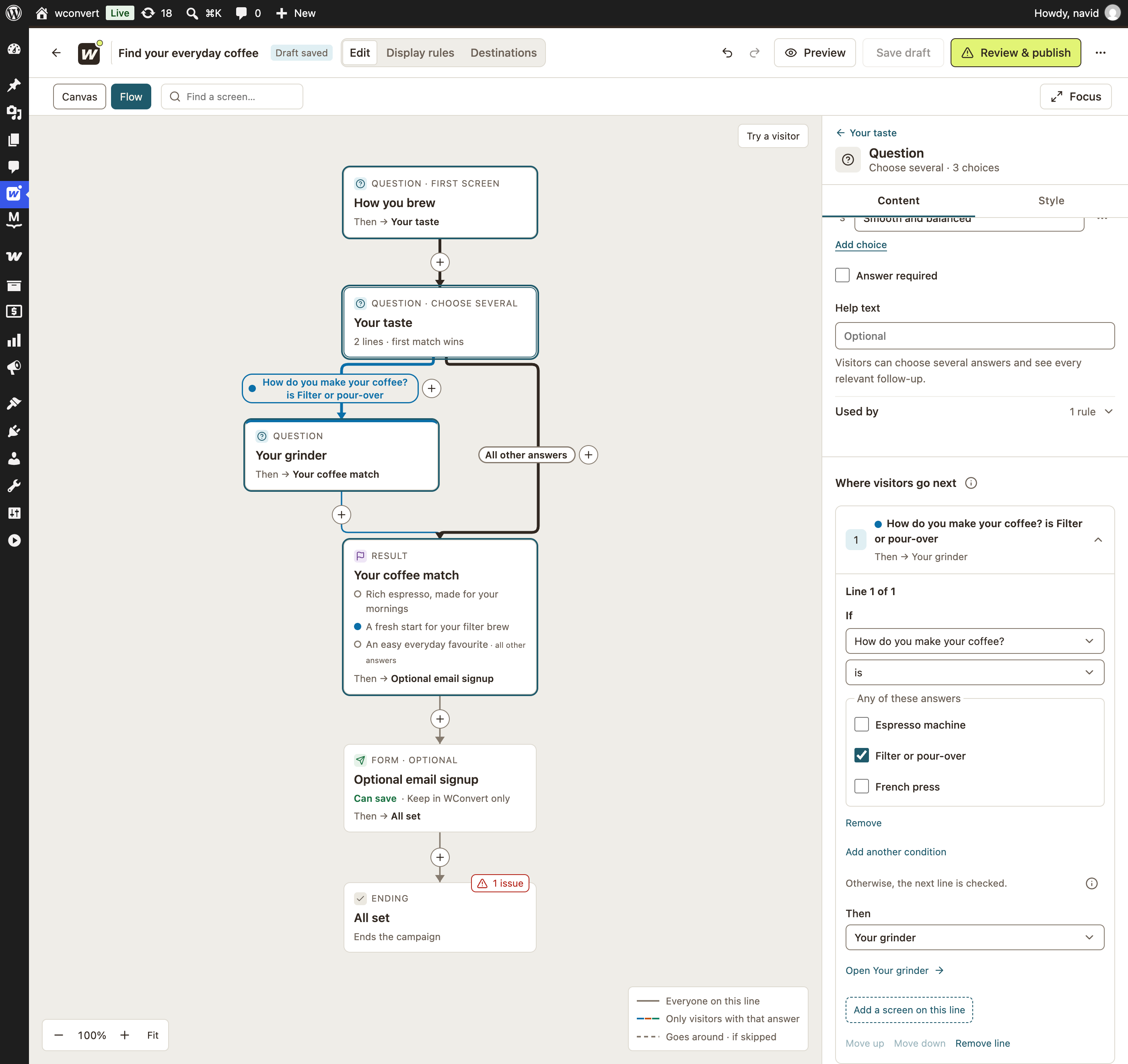
This question appears on the filter path. Other answers continue to the coffee match.
Route by answers and set a default path, so every visitor has somewhere to go.
Visitors can go back. A changed answer follows its new path without carrying answers from the old branch.
Use the flow editor and test your paths before a visitor ever sees them.
Not every campaign needs a quiz. Start with an email signup, then invite people to add SMS alerts. If they skip the optional step, their submitted email signup stays saved.
Make it look like your brandA separate phone field and SMS consent.
No thanks, email is perfectA useful next step might be a product to explore, a better enquiry or simply the freedom to choose how to hear from you.
Guide shoppers to products from your catalog. Select the products yourself, or use categories and attributes to shape the results.
Explore the shopping journeyAsk about their needs first. Follow up with relevant questions so your team starts the conversation with more context.
See how paths workMake one invitation at a time. Let people join your email list and decide separately whether they want SMS too.
Find your connectionsStart with multiple screens in Free. Choose Pro when your next step needs to depend on an answer.
Compare all features & site plansFree includes linear, multi-screen campaigns. Add an introduction, split a form across screens or collect an email signup before offering an optional SMS signup. Pro adds question steps, answer-based branching and tailored quiz results.
No. A Pro quiz can show a result without asking for contact details. You can add an optional signup afterward, or build a journey that requires signup before the result. Anonymous quiz answers do not create a contact in your lead log.
A signup is saved when the visitor submits that capture step, not when they press an ordinary Next button. In an email-then-SMS journey, the submitted email signup remains even if the visitor skips the optional SMS step. A regular form split across screens saves when its final submit succeeds.
Yes. Answers are kept while they still belong to the visitor’s current path. If a changed answer takes them down a different branch, answers from the abandoned branch are cleared so they don’t affect the new result.
Only for recommendations that use your WooCommerce product catalog. Other multistep signups, questions and tailored results work without WooCommerce. Pro product results can use products you select, or category and attribute criteria, and show up to three eligible in-stock products.
WConvert saves the submitted contact in WordPress and can pass it to your configured integration. Your connected email or SMS service handles its own subscription process and follow-up. Email and SMS consent are handled separately; one channel’s consent does not sign someone up to the other.