


GROW YOUR EMAIL LIST

A visit is a start.
Give them a reason
to stay in touch.

Turn your WordPress traffic into email signups with an offer people want, a form that feels like you, and a thoughtful moment to ask.

Start with Free Keep leads in WordPress
COFFEE NOTES · DEMO NEWSLETTERCoffee beans and a cup of coffee for the fictional Coffee Notes newsletter

A small ritual.
Something to look forward to.

Brewing tips, independent roasters and useful ideas for your morning.

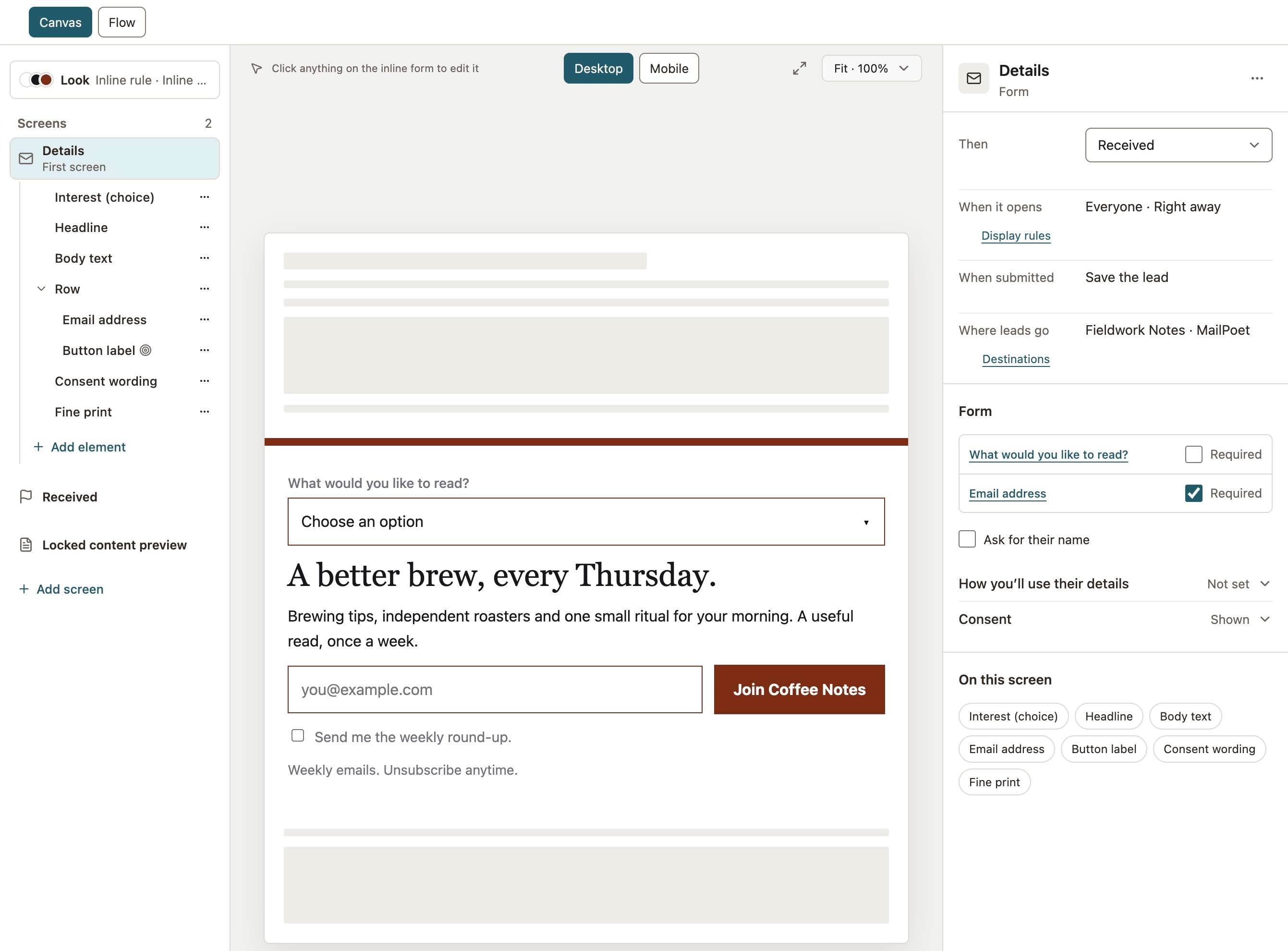
THE ACTUAL SIGNUPInline form · editor preview

A clear promiseA useful read, once a week.

A clear choiceVisible permission and an unsubscribe reminder.

A worthwhile offer. A reason to join.A thoughtful moment. Room to decide.A useful next step. A promise kept.
START WITH WHAT THEY GET

Why would someone
want your next email?

“Join our list” is a request. A useful read, a small solution or a thoughtful offer gives that request a reason. Pick a starting point.

Warm sunlight in a thoughtfully furnished homeSUNDAY NOTES
A LITTLE SPACE FOR INSPIRATIONMake room
for a slower Sunday.

One thoughtful home, a maker to meet, and an idea to keep. In your inbox, every Sunday.

Your email address
Send me Sunday Notes. Unsubscribe anytime.
Bring on Sunday
Campaign concept · Example content, not a live signup form
For creators, publishers & communities

Give them something to look forward to.

Your point of view is the offer. Make the topic, value and frequency clear before asking for an address.

THE PROMISE
A useful read, every Sunday.
THE PLACEMENT
An inline form at the end of a relevant article.
THE FOLLOW-THROUGH
Connect your email tool and prepare a welcome message that sets expectations.

Which articles bring in the most signups?

Try an email signup flowCore capture and placement tools included in Free

Keep the first ask simple. Start with the email address and clear permission. Add a name or interest only when it helps you deliver a better experience.

Explore signup forms
LET THE INVITATION FIT THE VISIT

Be easy to find.
Leave room to browse.

Start with a placement that makes sense. Then choose when to appear, which pages to include and how often to ask.

INLINE FORM · FREE

At the end of a good read.

A signup can feel like the natural next paragraph. Place an inline form with a WordPress block or shortcode.

THE SUNDAY JOURNALA home with room to breathe.

A few considered pieces. Space for the things you love. Small changes that make everyday life feel a little lighter.

More ideas like this?Get Sunday Notes in your inbox.
Useful for articles, resource pages and your About page.
TIMED OR SCROLL POPUP · FREE

After a little interest.

Give readers time to explore. Offer a relevant guide after scrolling, or introduce your newsletter after a delay.

Related journal articlesChoose the pages
After 50% scrollExample trigger
Once per dayExample visitor limit
A small-space guide, for someone reading about small spaces.
A starting point to test, not a universal timing rule.

Make it comfortable on a phone, too. Preview the layout, keep the close control clear and use visitor limits to avoid repeated interruptions.

Explore targeting & timing
A HEAD START, NOT A BLANK PAGE

Good design.
Ready for your voice.

Start with a bundled design from the library. Make the words, colors, fields and artwork your own, then preview your campaign before publishing.

Explore the template library See the visual editor
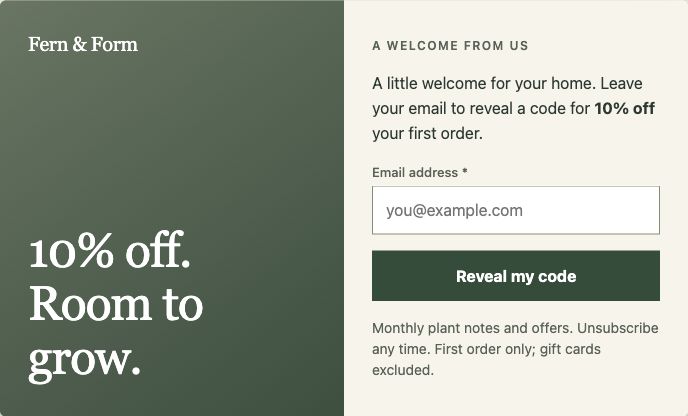
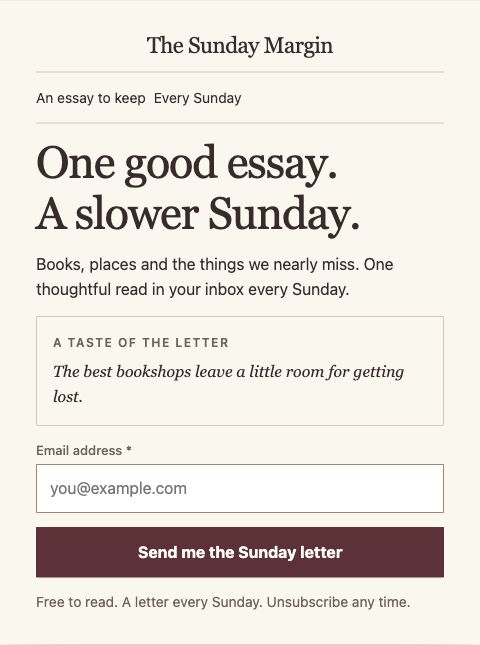
Actual Sunday marginalia newsletter template rendered by WConvertSunday marginalia Actual Fieldwork welcome-offer template rendered by WConvertFieldwork Actual bundled templates, rendered by the plugin.
THE SIGNUP IS THE BEGINNING

Keep the record.
Keep the promise.

WConvert looks after the capture. Your email tool takes the relationship forward. Set up both sides and test your confirmation or welcome email before the campaign goes live.

FROM CAPTURE TO FOLLOW-UP

Ready for
the next conversation.

Keep the submission in WordPress. Pass the email to the destination configured for your campaign.

MailPoetThe service in this demo

Your email service manages messages, confirmation and subscription status.

CHOOSE WHAT HAPPENS NEXT
Save each submission and forward it to your selected service.
THE CAMPAIGN’S DESTINATIONWhere leads go: Fieldwork Notes, MailPoet, in the real campaign settings.
THE ORIGINAL STAYS WITH YOU
Local capture and provider delivery are separate outcomes.

Bring your email tool.

MailPoet in Free. More native email connections in Pro.

See every integration

MailPoet requires its WordPress plugin. Other connections need a service account. Sending plans and costs are separate. Klaviyo is Soon.

Clear permission and saved wording help you manage signups responsibly. Provider confirmation and delivery remain separate from the local lead record.

Privacy & GDPR tools
BUILD ON WHAT YOU LEARN

Start small.
Make the next ask better.

Publish one focused campaign. Look at how people respond before adding more popups, fields or offers.

Are people seeing it?

Review appearances. Check your page rules and timing if the right visitors aren’t reaching the form.

Is the invitation worth accepting?

Compare submissions with appearances. Try a clearer promise or a more relevant offer.

What should you change next?

Test one idea at a time. Use Pro A/B testing to compare variants, then choose what to keep.

Campaign submissions measure capture, not confirmed subscribers or email engagement. Check those in your email service.
YOUR FIRST CAMPAIGN CAN START IN FREE

An offer. A form.
A reason to come back.

Popups and inline forms, core targeting, local reporting and lead records. Add Pro when you need exit intent, A/B testing or more connections.

Find your plan Compare Free & Pro No external account needed for local capture.
BEFORE YOUR FIRST INVITATION

A few good
questions.

Talk to us
Can I grow an email list with the Free plugin?

Yes. Free includes email capture, popups, inline forms, linear multistep campaigns, core targeting and timing, local reports and lead records. MailPoet is a Free connection and requires the MailPoet plugin. Pro adds tools such as exit intent, A/B testing and Mailchimp, Brevo, Mailtrap and webhook connections.

Do I have to offer a discount?

No. A focused newsletter, early access, a useful checklist or a practical guide can give visitors a reason to join. Choose a promise that fits your audience and that you can keep. The examples on this page are starting points, not guaranteed conversion formulas.

Does WConvert send my newsletters?

Your connected email service sends newsletters, welcome messages and other marketing emails. WConvert creates the signup experience, keeps the captured lead in WordPress and can pass it to your configured destination. Sending plans, account requirements and provider fees are separate.

What about confirmation emails and unsubscribes?

Your email service handles confirmation, double opt-in where configured, subscription status and unsubscribes. A successful capture in WConvert records the submitted request; it does not confirm delivery or subscription in another service. Test the full flow with your chosen provider before publishing.

Can I collect signups before connecting an email service?

Yes. Save submissions in the local WordPress lead log and export them to CSV. Before using an export in an email service, check the recorded permission, your intended purpose and the service’s import requirements. WConvert is not a bulk sending platform.

Can I ask for a phone number later?

Yes. Free supports an email step followed by an optional SMS signup with separate permission. In that supported journey, an accepted email signup remains saved if the SMS step is skipped. Ordinary Next/Back steps do not save partial submissions.

INSIDE WCONVERT

Inside WConvert