 WConvert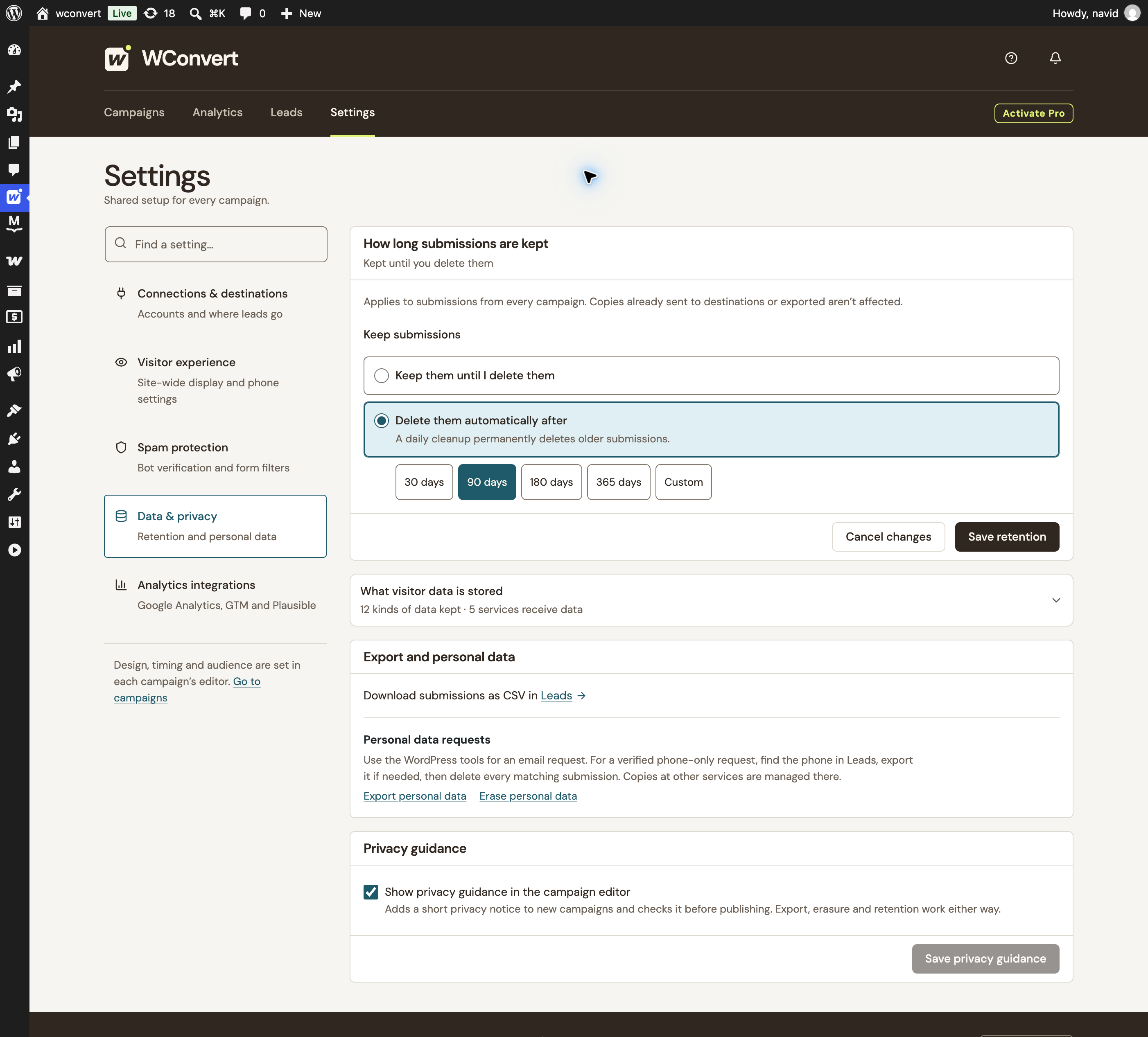
A map of your current setup.
See retained fields, browser state and configured destinations. The map updates from your saved settings.
Make privacy part of your campaign setup. Know where data goes, keep a record of permission, and choose what stays on your site.
Core privacy controls included in Free.

Actual local setup · 90 days selected as an unsaved example · No retention change applied
Set a retention period for local submissions, then use your data map and personal-data tools to manage the records you keep.
Pick a preset or enter a custom number of days. One retention setting applies across your campaigns.
Off until you choose. Submissions stay until you delete them unless you enable a retention period.
A local boundary. Cleanup covers WConvert submissions. Copies in connected services, CSV exports, email logs and backups need separate handling.
See retained fields, browser state and configured destinations. The map updates from your saved settings.
Export records and handle verified erasure requests using WordPress email tools or exact phone-number tools.
Suggested WordPress privacy-policy text reflects your configuration. Review it and add the details specific to your business.
A form’s marketing permission, browser storage and statistics permission serve different purposes. Review each as part of your setup.
Campaign state helps remember appearances, dismissals and completions. Core state contains no contact details or WConvert visitor ID.
Core local storage has no set expiry; its fallback cookie lasts up to one year. Supported rules read the WP Consent API when available. That is not an automatic consent block when the API is absent, and dismissal memory remains functional. Extra campaign formats can add state described in the data map.
Native reporting keeps daily campaign totals in WordPress, separately from the lead log. You don’t need Google Analytics to use it.
Totals count campaign actions rather than a history of individual visitors. Short-lived, site-specific IP hashes help limit duplicate counts and repeated submissions; raw IP addresses are not saved in these records. Removing a lead does not subtract historical aggregate counters.
Optional events use your existing GA4, GTM or Plausible setup. The integration is off by default and does not install a tracker.
The default gate requires an initialized WP Consent API policy and statistics permission, respecting supported service denials. Unknown permission withholds events. An alternative mode delegates consent to your tracker. Events exclude submitted fields, lead IDs and private campaign names. This gate is separate from native counters.
WConvert gives you controls and evidence. Your business decides how to use them for its purposes and obligations.
Talk through a product questionChoose the purpose, fields and appropriate lawful basis. Adapt notices and consent wording to what you will actually do.
Check your WordPress host, connected services and bot-verification provider, including locations, terms and transfer arrangements.
Review your consent-management setup, analytics options and how long local records and other copies should be kept.
Provide a privacy contact, verify requesters and arrange exports, erasure and consent withdrawal across the services you use.
For advice on your legal obligations, consult a qualified privacy professional.
WConvert provides tools to support your privacy work: consent evidence, retention, exports, erasure and configuration-based guidance. Compliance depends on your purposes, lawful basis, notices, configuration and providers. This page describes product capabilities, not legal advice or certification.
Lead records are stored in your WordPress database. Browser campaign state is separate. Configured destinations, bot-verification services and optional analytics can involve other services; exports, email logs and backups can also hold copies. The Data & Privacy map describes the WConvert configuration on your site.
No. Your WordPress host determines where the local database is hosted. Connected services may process information elsewhere. Review those providers and any applicable transfer requirements for your setup.
No. Supported display rules can read the WP Consent API, but WConvert does not provide a cookie banner or grant permission. Without the API, those rules do not automatically block themselves. Dismissal memory remains functional. The optional external-analytics integration has a separate, stricter default consent gate.
Yes. Core campaign state uses local storage without a fixed expiry, with a fallback cookie lasting up to one year. It does not contain contact details or a WConvert visitor ID. Session limits, content locks, A/B assignments and WooCommerce features can add their own state. Review the current Data & Privacy map and your site’s consent configuration.
It is evidence of the wording and acceptance time at capture. Your connected service owns later subscription confirmation, unsubscribe handling and current status. Email and SMS permissions are recorded separately.
The local erasure tool removes matching WConvert records for the explicit email or phone identifier. WordPress personal-data tools handle email requests; phone-only requests use exact-identifier tools. Verify the requester first. Connected services, downloaded CSVs, email logs and backups must be handled separately. Historical aggregate campaign counters are separate from lead records.
The core lead log, consent evidence, exports, erasure, retention settings, Data & Privacy map and privacy authoring guidance are included in Free. Pro adds features such as external analytics integrations and WooCommerce campaign sales reporting, with their own settings and data flows.
Start with campaign creation, local lead records and practical data controls in WordPress.
Find your WConvert plan