 WConvert
Create a variation.
Start with a copy of your campaign. Edit one meaningful element and preview the draft before publishing it.
See the visual builderTurn “I think this could work better” into a campaign you can compare. Create a variation, see how it performs and choose what to keep.
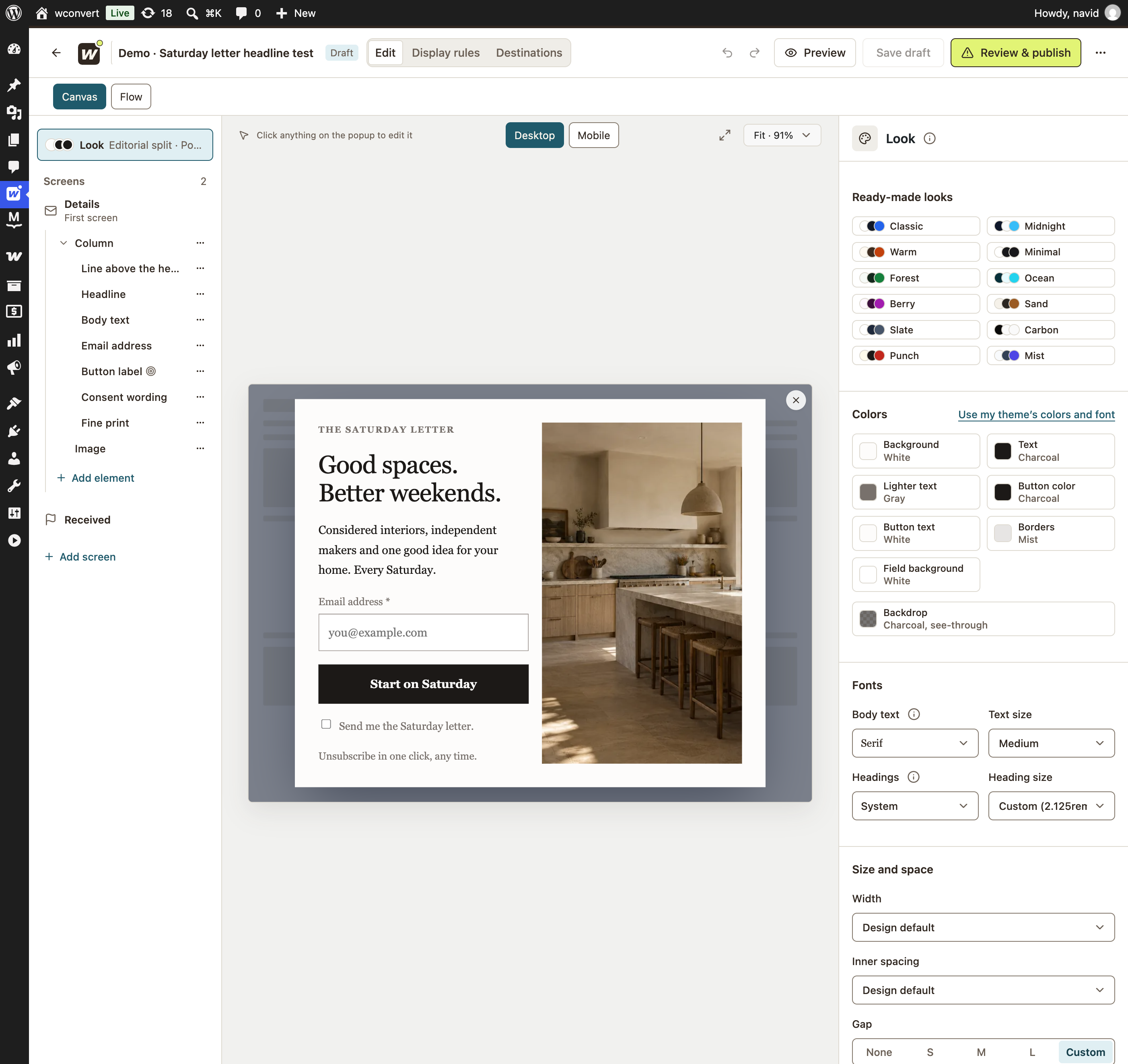
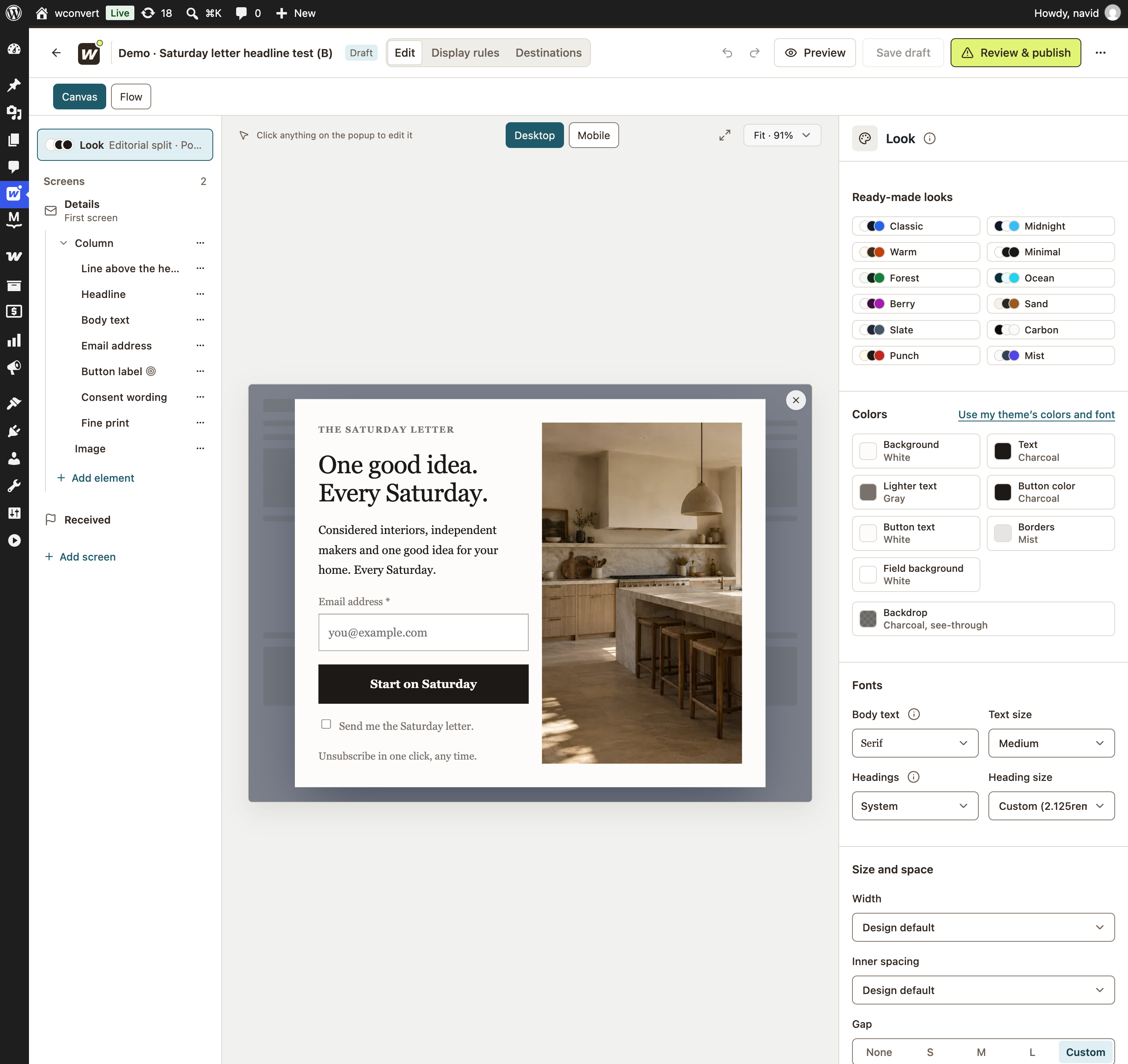
Does a more specific headline
earn a different response?
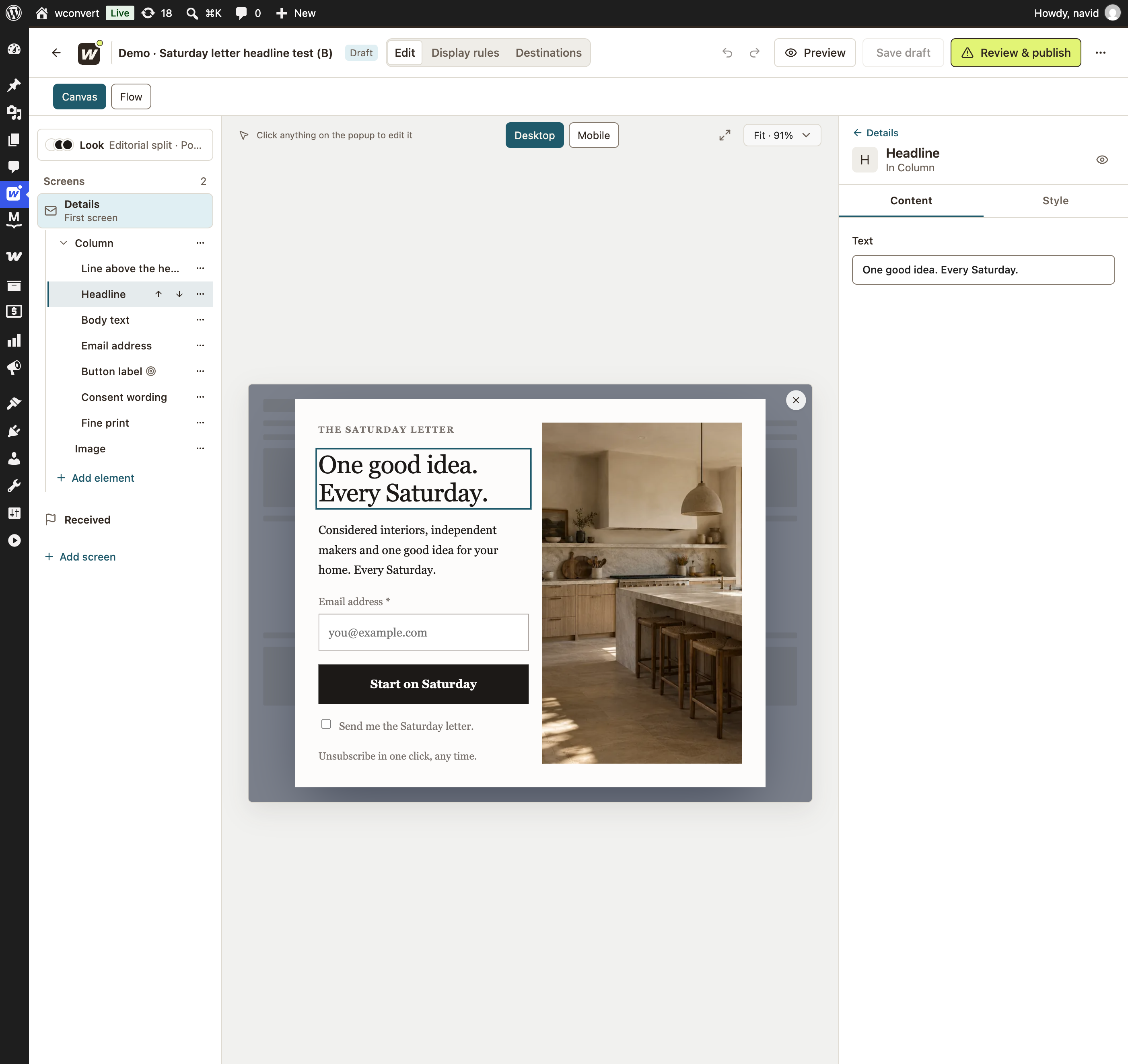
Real WConvert designs and editor. Local demo drafts with the same photo, form and button.
Start with a question you can answer. Keep the conditions comparable, then look at both the counts and the rates.
Start with a copy of your campaign. Edit one meaningful element and preview the draft before publishing it.
See the visual builderPublished versions receive an equal chance of assignment. Keep audience rules and timing alike for a more useful comparison.
Explore display rulesReview each version over the same dates. Keep observing or choose the version you want to become the campaign.
Explore campaign analyticsStart with one clear difference. These are practical questions you can explore with the campaign editor.
Test a clearer benefit in the headline. Keep the offer, form and audience consistent.
Compare button wording while keeping the same resource and submission action.
Change the image while preserving the copy, fields and display rules.
Compare the same kind of result. Keep the measured action consistent across versions, such as a form submission in both.
Compare both versions over the same dates. Read submissions alongside appearances, then decide whether to keep observing or make a choice.
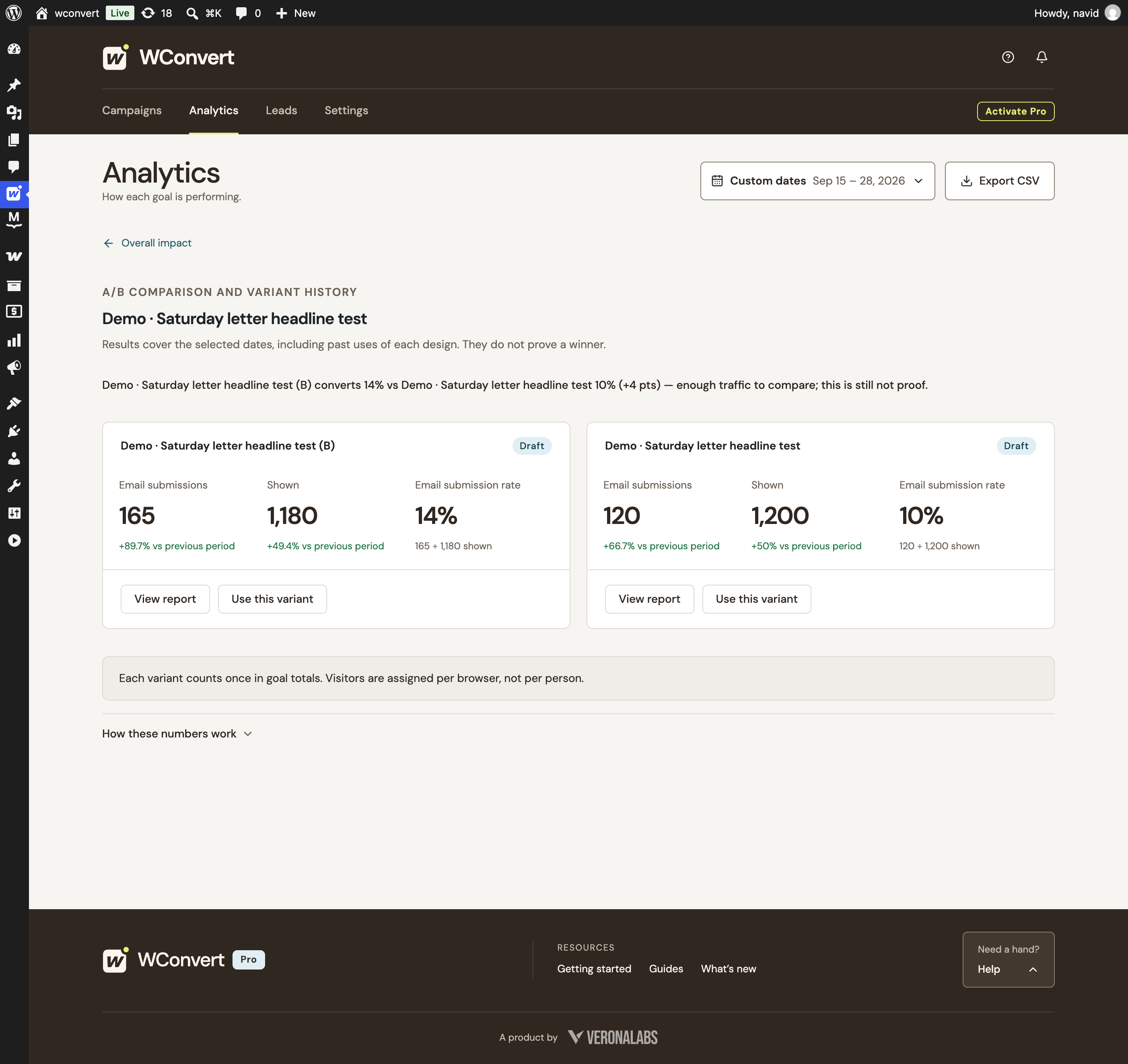
B recorded 165 submissions from 1,180 appearances; A recorded 120 from 1,200. Review the dates, audience and sample before deciding what to keep.
Observed results from demo data. WConvert does not calculate statistical significance or choose a winner automatically.
Compare two headlines using sample results. Switch the sample size, then preview what happens when you keep a version.
B shows 15% versus A’s 10%, but that is only 6 submissions versus 4. This early snapshot is a reason to keep observing, not declare a reliable winner.
Illustrative numbers, not customer results or a sample-size recommendation. Rates are submissions ÷ appearances. WConvert does not calculate statistical significance or choose a winner automatically.
Try either “Preview keeping” action to see what ending a test means. This demo collects no information and changes no real campaign.
A few responses can swing a percentage. WConvert keeps the underlying counts visible and leaves the decision with you.
When you choose a version, it becomes the campaign. The other versions stop being served, while their recorded results remain available.
Understand the reportingKeep the design you choose.
Keep the learning, too.
A/B testing joins the visual builder, advanced targeting and campaign analytics in WConvert Pro.
Explore WConvert ProUSD · Annual license
Also available for 5 or unlimited sitesA/B testing is included in WConvert Pro. Free includes campaign creation and local analytics, so you can start collecting results before upgrading.
Create a variant from an existing campaign. It starts as an unpublished copy, ready to edit. Preview your change and publish the variation when you are ready to include it in the test.
Assignment is even across published versions, with no custom traffic-ratio setting. Two versions have an equal chance of assignment. Actual appearance counts can differ because of chance, page eligibility, timing and visitor behavior. An even assignment does not guarantee identical report totals.
WConvert remembers the assigned version in that browser’s local campaign state while it remains available. This is not person-level or cross-device identification. Another browser, cleared storage or a changed set of versions can lead to a different assignment.
No. You review the results and choose when to end the test. WConvert does not provide a statistical significance score, confidence interval or automatic winner promotion. A higher observed rate alone does not establish a reliable winner.
The chosen version becomes the campaign and the other versions retire from delivery. Their historical results remain inspectable in reporting. If the chosen version is unpublished, choosing it does not bypass publication checks or publish its draft automatically.
Versions in the same test must use a compatible conversion action. A link click and a submitted form are different outcomes, so they should not be treated as competing rates in one test. Keep the purpose and measured action consistent.
There is no universal duration or appearance count that makes a result reliable. Plan around your traffic, expected response and decision before starting. Avoid repeatedly stopping as soon as a small lead appears. WConvert shows the observed counts and rates; it does not certify the sample as sufficient.
Reports cover the selected dates and can include earlier or later uses of a design. They are not isolated, immutable test-round snapshots. Choose your date range carefully and review the campaign history when interpreting the comparison.
A clearer headline. A more relevant image. A button that makes the next step obvious. Your next test can start small.
Find your WConvert plan