 WConvert
Find the right submissions.
Search by email, phone or other captured details. Narrow the list by campaign, purpose and date.
Newsletter signups or project enquiries? Keep the context.Who signed up. What they shared. What they agreed to.
Keep the details together, right inside WordPress.
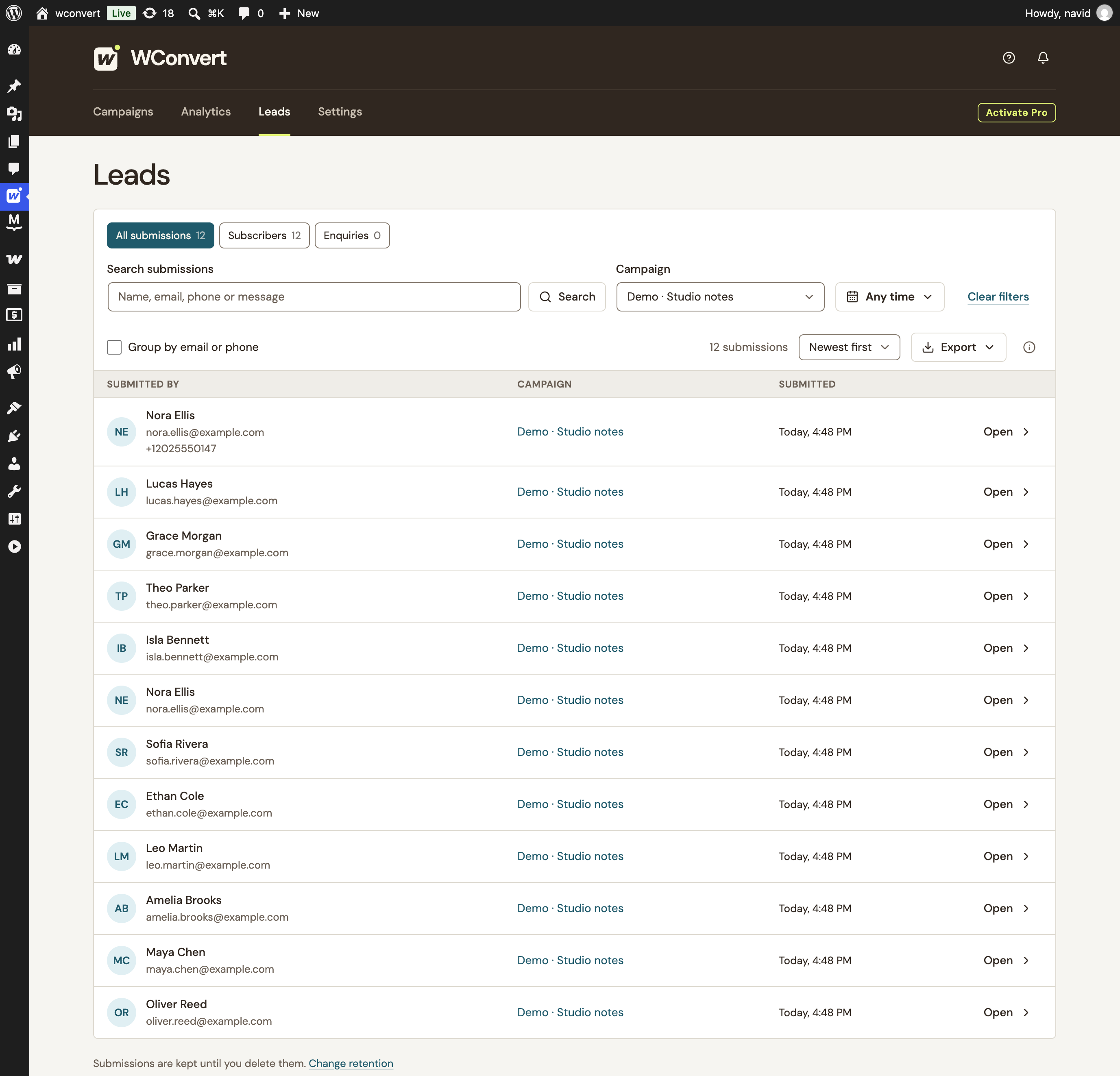
Nora’s interest in natural materials, her chosen room, and the wording she accepted—all in the same submission.
Sample lead records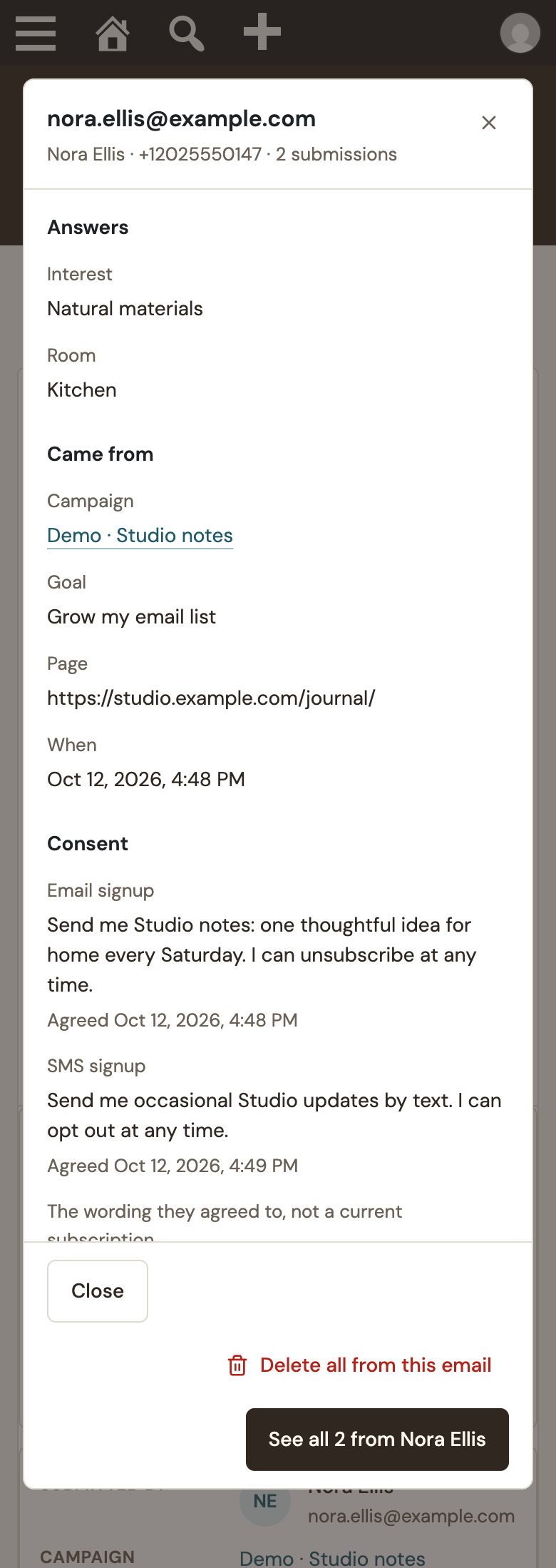
See the actual wording accepted at signup, with a timestamp for each channel. Changing your form later doesn’t rewrite the original record.
An email signup can come first. If the visitor accepts the optional SMS step, the phone and its separate permission join the same record.
This example shows the email-then-optional-SMS journey.
Consent at capture is different from current subscription status. Your connected service manages later confirmations and unsubscribes.
A growing list needs more than a counter. Give your team a practical way to work with the submissions you retain.
Search by email, phone or other captured details. Narrow the list by campaign, purpose and date.
Newsletter signups or project enquiries? Keep the context.Export matching retained submissions to CSV. Export question answers when you need to work with the choices visitors made.
Your export covers the matching results, beyond the current page.Set a retention period for local lead records. Until you choose one, WConvert keeps them without automatic pruning.
One retention setting for your WordPress site.Use WordPress personal-data tools for email requests, with a separate route for exact phone-number requests. Your Data & Privacy settings explain the current data flow.
Your WordPress record stays useful alongside your marketing tools. Connect a destination for the follow-up you’ve configured.
Save the accepted submission and its context locally.
Pass relevant details to your configured destination.
Your provider handles confirmation, sending and unsubscribes.
A saved lead is a capture record, not a delivery receipt.
Find your integrationLead log, consent evidence, CSV exports and retention controls are all part of WConvert Free.
Yes. The local lead log, search and filters, CSV exports, consent records, retention settings and WordPress privacy-tool integration are included in Free. Pro adds more destinations and other advanced campaign features.
WConvert keeps a history of campaign submissions. It does not offer editable contact profiles, sales pipelines or email sending. Connect a supported service for your follow-up, and use the local log to inspect what was captured.
Separate visits and journeys create separate submissions, even when the email or phone matches. You can group or search records using the same identifier. Within a supported email-then-optional-SMS journey, the later phone and consent are added to the same lead.
Ordinary multistep forms save on the final Submit action. Next and Back do not save partial leads. The email-then-optional-SMS journey is different: an accepted email signup is saved first, and a later SMS signup can extend that same record. Anonymous quiz answers alone do not create a lead.
No. It records the wording and time of acceptance at capture. Later unsubscribes, double opt-in confirmation and current subscription status belong to your connected service. Email and SMS acceptance are recorded separately.
Lead records are stored in your WordPress database. If you configure an external destination, the relevant data is also sent to that service. CSV downloads, provider copies and your site backups have their own storage and retention.
WConvert works with WordPress personal-data export and erasure by email. For phone-only requests, use the exact international phone number to find/export matching records and use the identifier-based erasure tool. Verify the requester before acting. Local erasure does not remove data already held by a connected service, in downloads or in backups.
No single plugin can determine that. WConvert gives you consent evidence, retention controls, privacy-tool integration and guidance based on your configured data flow. You choose appropriate wording, purposes and policies for your website.
Create the campaign. Capture the details. Keep a record you can actually use.
Find your WConvert plan