 WConvert
Add conditional paths and test every outcome
Send answers to the right screen, keep a fallback, and test the full journey before publication.
On this page
Before you start
You need Pro and a quiz with named questions and result screens. Start with Create a quiz. Decide which answer should see each screen before adding conditions.
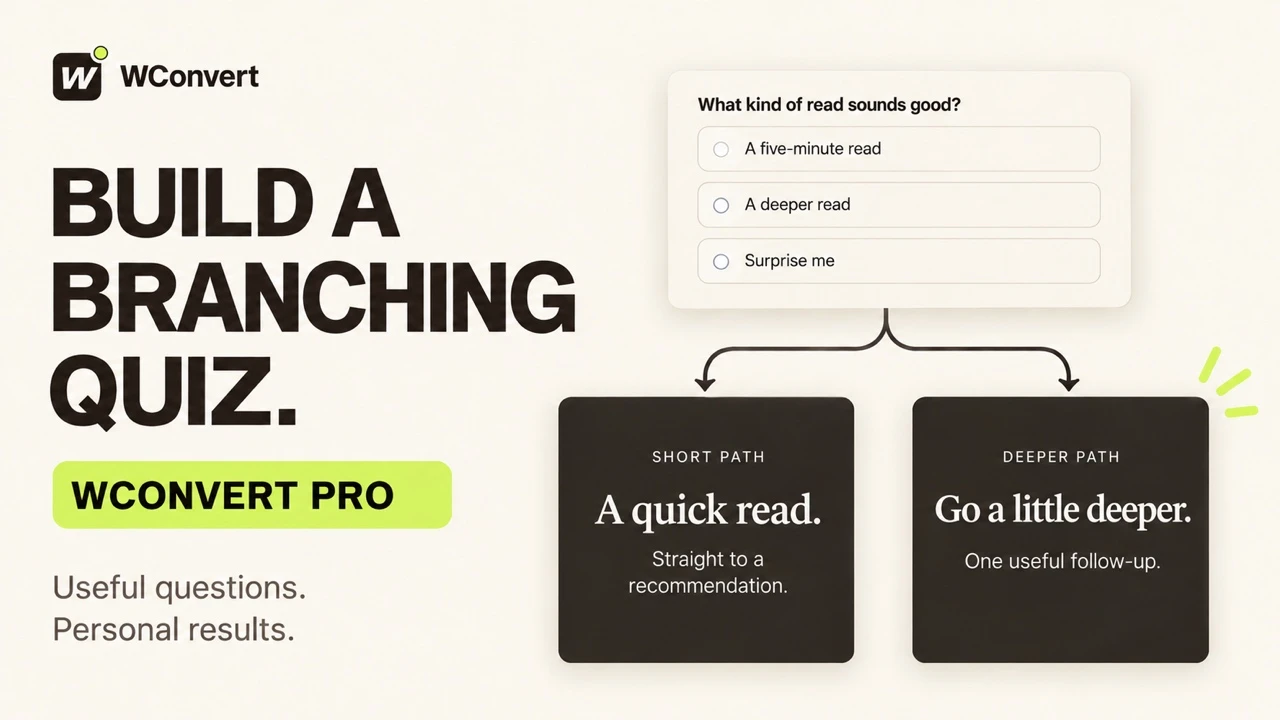
For example, a beginner can go straight to a result, while an experienced coffee drinker answers one more question.
Watch the walkthrough
Build The Friday Letter’s reading quiz in 2 minutes 42 seconds, starting from a prepared quiz with sample copy. Use Pro to show a follow-up only when an answer matches, keep a useful fallback, and test the published paths. This example shows anonymous recommendations; contact capture and email delivery need separate tests if you add signup fields.
Read the transcript
Recorded October 2026. The Friday Letter is a fictional editorial site; the pages and quiz use sample content.
0:00 Find a useful next read
Help each reader find something worth their time. With WConvert Pro, we’ll build The Friday Letter’s reading quiz, ask a follow-up only when it helps, and test the results.
0:11 Start with one clear question
Start with Help visitors find a match and a quiz setup. I’ve prepared the Friday Letter copy. Our first question offers a short read, a deeper read, or a surprise. Keep the answer required, so every reader gives the quiz a clear starting point.
0:26 Ask a follow-up only when useful
This follow-up is only useful for someone who wants a deeper read. In its screen settings, open Only if, choose an answer match, and select A deeper read. Everyone else skips this question and continues to the result.
0:41 Give each answer a useful result
Now match the results to the answers. A five-minute read gets Five minutes of quiet, with a short explanation and a link to the story. Specific results are checked in order; the first match wins. Keep an All other answers result for anyone who doesn’t match.
0:58 Read the flow before testing
Use Flow to check the route. A deeper read goes through the extra question. All other answers go around it. Routing decides which screen comes next; result conditions decide what recommendation appears at the end.
1:12 Test the short path
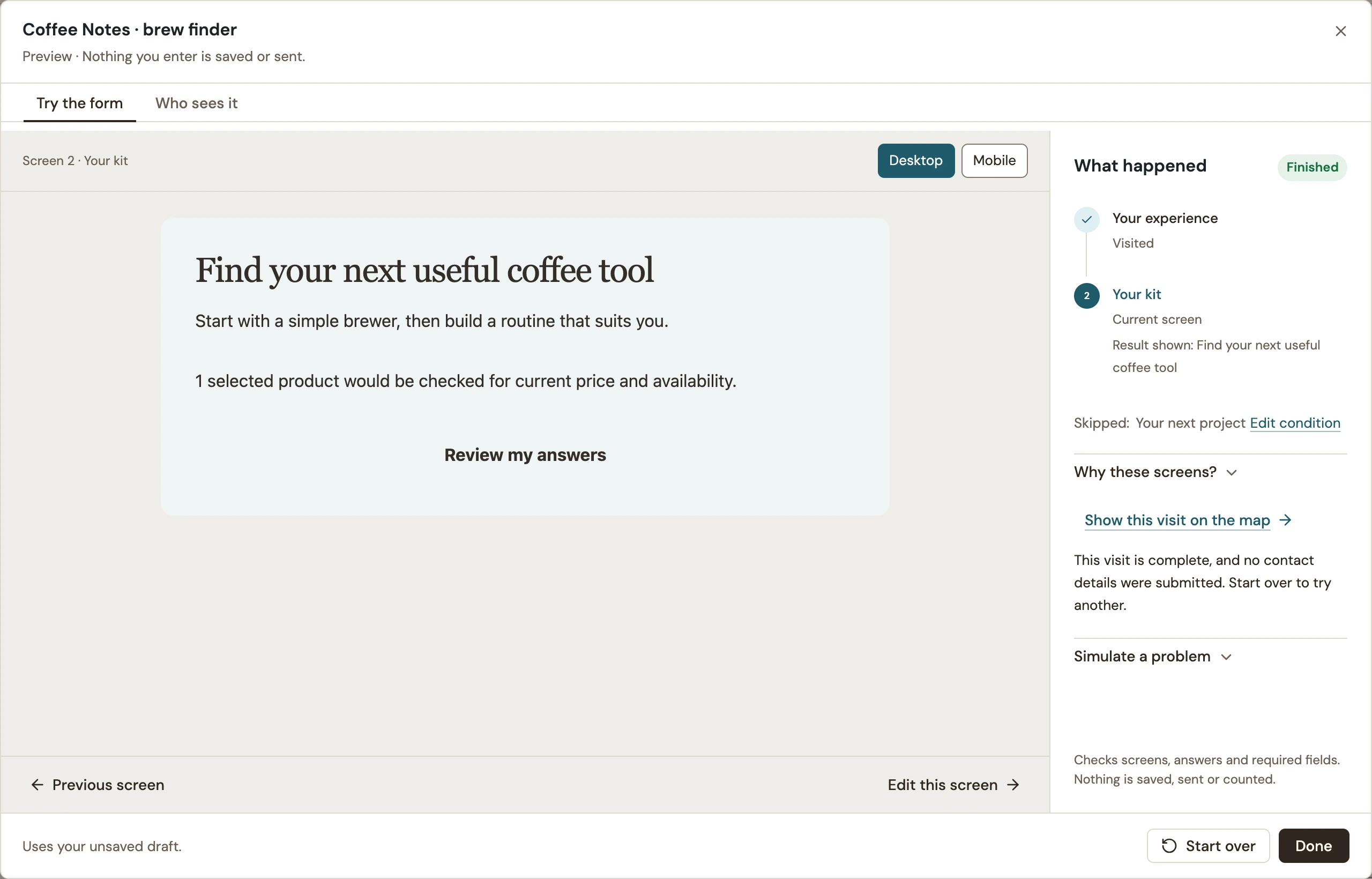
Open Preview and try the short path. Choose A five-minute read and continue. The result appears immediately. What happened confirms that the follow-up was skipped. This is a rehearsal: it saves no lead and sends no message.
1:27 Test the longer path
Start over and choose A deeper read. This time, the extra question appears. Practical ideas leads to A slower Sunday. Test the other choice too, and go back to change an earlier answer. The result should follow the reader’s latest answers.
1:44 Check the fallback
One more check: Surprise me. It skips the follow-up and shows our fallback, A letter worth opening. A fallback should still help the reader find a useful next step.
1:55 Review where the quiz runs
Save the draft, then review and publish. This demo is limited to one local test page. Check your own page and opening rules carefully, especially for a fullscreen quiz, before making it available to visitors.
2:09 Verify the published quiz
Finally, open the published page as a fresh visitor. The short answer reaches Five minutes of quiet. Go back and choose a deeper read. The follow-up now appears. Choose Practical ideas to get A slower Sunday. These anonymous results do not capture an email address.
2:28 Every path should help
Ask only what changes the recommendation, and make every result useful. Before launch, check all answers, the fallback, mobile layout, and links. A thoughtful quiz helps readers take their next step.
Send an answer to another screen
- Select the question screen in Edit → Screens.
- Open Where visitors go next and choose Send some answers to a different screen.
- For the answer line, choose its destination under Then.
- Under If, choose the question and matching answer. Add conditions only when they are needed to distinguish that path.
- Check the destination for All other answers. Order the specific lines from most specific to most general.
The first matching answer line wins. In Flow, select a line to inspect its rules. Use Move up or Move down when two lines can match the same visitor.
Keep routing and screen conditions clear
| Setting | What it means |
|---|---|
| Answer lines | Choose the next destination. The first matching line wins; all other answers use the default route. |
| Only if on a screen | Decides whether the visitor needs that screen. A route toward a screen does not make its condition true. |
| Result conditions | Choose which result to show after the questions. These also use first-match order and a fallback. |
Test each path, including the fallback
- Open Preview → Try the form.
- Complete one answer path. Check What happened for the screens visited, the result shown and any skipped screen.
- Use Start over to test each remaining path, including an answer that should use the fallback.
- Go back and change an earlier answer. Confirm that the later questions and final result change appropriately.
- Test required answers and both desktop and mobile layouts.
 Enlarge screenshot
Write a short test list with one row per expected outcome. Include overlapping conditions and optional questions, not just the path you expect most visitors to take.
Publish and repeat the important checks
Resolve any publishing blockers, publish the campaign, then repeat the paths on its actual test page. Check contact capture and delivery separately if present.
After renaming, removing or changing the type of a question or choice, review every route and result that used it. Follow the editor’s repair prompts before publishing; then rerun your test list.
Include your WConvert version, the page you tested and any error message.