 WConvert
Offer an optional email or SMS signup
Add a separate signup after the main submission, with its own consent and a way to skip it.
On this page
Before you start
Optional email or SMS signup is included in Free for supported linear signup campaigns. Begin with a working email or phone form. The main signup should work on its own.
In the example, an email signup is followed by an optional request for text updates. A visitor can finish without giving a phone number.
Add the optional signup
- Open the campaign’s Edit tab.
- At the bottom of Screens, select Add screen → Optional signup.
- Select the new screen. An email-first campaign adds an optional SMS signup; a phone-first campaign offers email.
- Review its field, submit button, No thanks button and acknowledgement path.
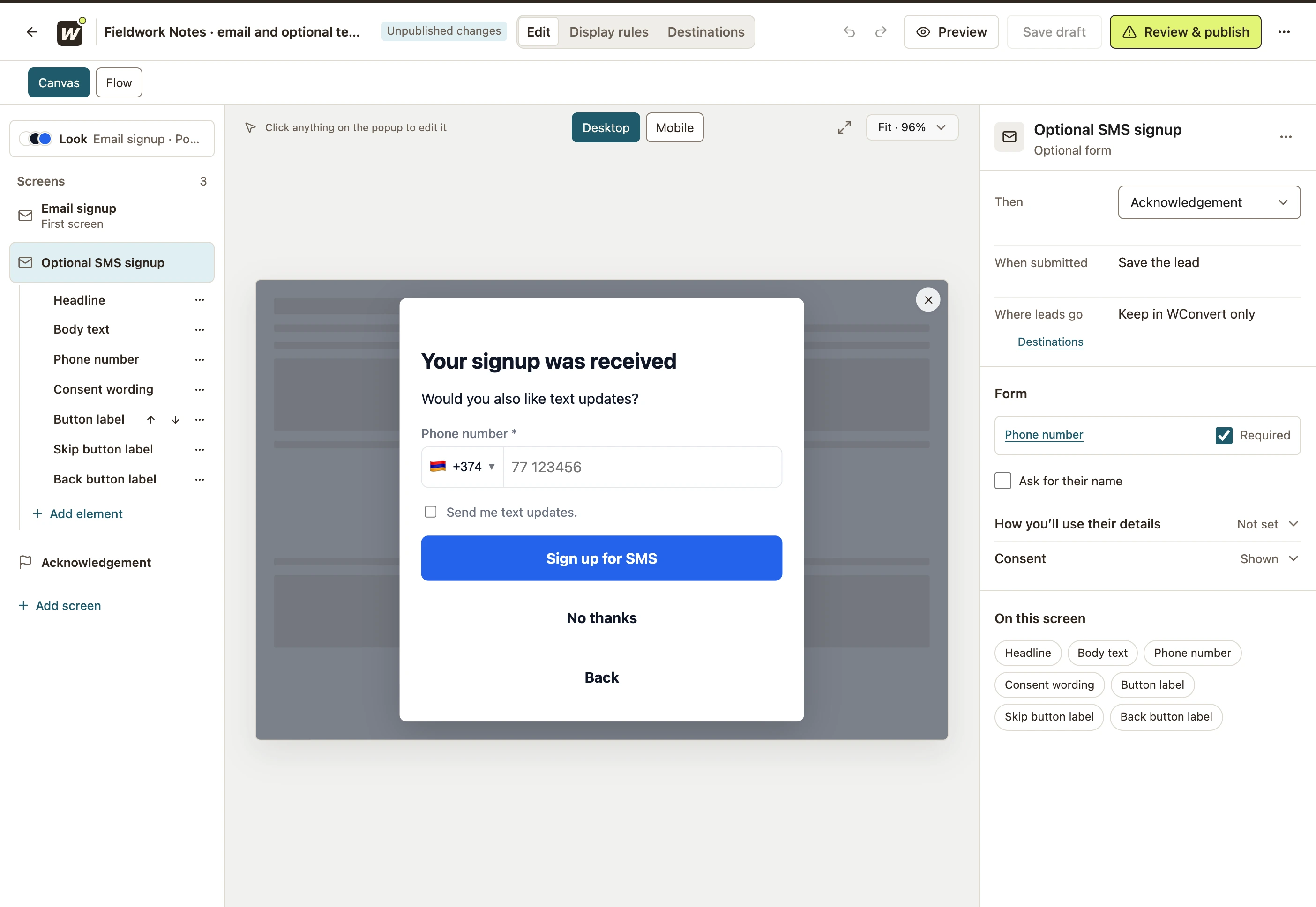 Enlarge screenshot
Give the second signup its own promise
- Explain what the second channel adds. Avoid repeating the first offer without a reason.
- Edit the second screen’s Consent wording to describe that channel specifically.
- Keep No thanks visible and ensure it skips the optional signup.
- For a phone field, review its Starting country and country list.
- Review Destinations for both Main signup and the optional signup.
An email destination is not an SMS sending service. Set up the second channel before promising automatic messages.
Test both paths
| Path | What to check |
|---|---|
| Skip the second signup | Submit the main form, then choose No thanks. The main submission remains saved; no optional phone or email consent is added. |
| Complete both signups | Submit the main form, then valid second-channel details and its consent. Check the final acknowledgement and the added details in the saved record. |
Use two different test addresses or fresh sessions so display limits do not hide the campaign. In our live test, the skipped path saved email only; completing SMS added the phone to the same capture record.
Check the saved details
In Leads, inspect the test submission’s email, phone and consent details. You can also export the matching submissions to check the separate email and SMS consent columns.
Treat each channel as a separate choice. A missing optional phone number can mean the visitor deliberately skipped it; it is not necessarily a failed form.
Include your WConvert version, the page you tested and any error message.