 WConvert
Choose where submissions go
Understand local lead storage, connected services and the difference between a connection and a destination.
On this page
Before you start
WConvert can save submissions in WordPress without an outside marketing account. Connecting a service adds a separate action, such as adding a contact to a list or emailing a download link.
Open an existing campaign and select Destinations. For a campaign with several signup screens, review the destination choice for each relevant signup.
Keep submissions in WordPress
Under What happens after submission?, choose Keep in WConvert only. Submissions are saved in Leads for review or export, with no automatic message or forwarding.
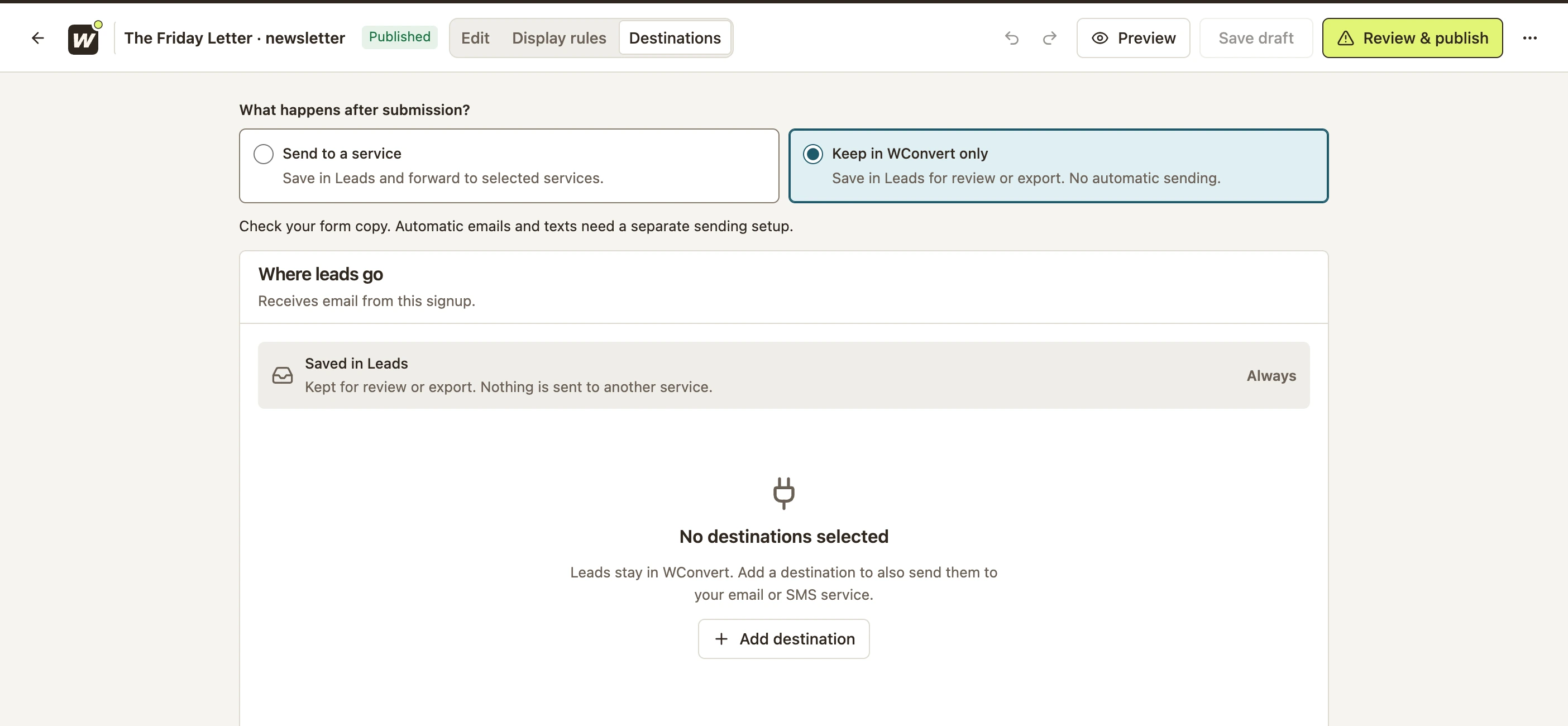 Enlarge screenshot
Send to a service as well
- Select Send to a service.
- Select Add destination.
- Choose one of Your destinations, or set up a new supported destination.
- Complete its required settings and any account connection.
- Save and publish the campaign, then test a real submission.
- Connection
- The reusable account access a service needs. Not every destination needs a separate connection.
- Destination
- The selected action and settings, such as a MailPoet list or a lead magnet email. A connected account alone does not tell every campaign where to send leads.
Manage reusable destinations under Settings → Connections & destinations. Select them in the individual campaign as well.
Choose a supported option
| Option | WConvert edition | What else you need |
|---|---|---|
| Keep in WConvert only | Free | No sending account |
| Lead magnet email | Free | A resource URL and working WordPress email delivery |
| MailPoet | Free | The MailPoet plugin and destination list |
| WSMS contacts | Coming soon | Not included in the launch release. Keep or export leads in WConvert for now. |
| Mailchimp, Brevo or Mailtrap | Pro | A supported account and destination configuration |
| Webhooks | Pro | A publicly reachable receiver URL from Zapier, Make, n8n or your own code |
Provider plans and automations are separate from WConvert’s edition. Use the integration directory for product overviews, or follow Send a download link after signup for a complete Free delivery example.
Check the result you intended
For local storage, submit on the published page and find the saved record. For a service, also check its Recent sends and verify the contact or message at the destination.
A lead is not proof of a confirmed subscription. Provider-side confirmations and newsletter automations are managed by that provider. If a record was saved but the next action is missing, see the delivery troubleshooting guide.
For a complete email-list example, follow Send email signups to MailPoet.
Include your WConvert version, the page you tested and any error message.