 WConvert
Export submissions and question answers
Filter the records you need, download a CSV and check the export without confusing submissions with unique people.
On this page
Before you start
Submission export is included in Free. You need permission to manage WConvert and at least one saved submission. Pro question features can add question-answer data and a separate export format.
Choose a specific purpose and scope for the export. A downloaded file is a separate copy of the submitted information.
Filter the records first
- Open WConvert → Leads.
- Choose All submissions, Subscribers or Enquiries.
- Use Search submissions and Search for an email, phone or other matching text.
- Select a Campaign and Period when needed.
- Check the displayed results before exporting.
The export uses the active filters and includes all matching submissions, not just the visible page. Group by email or phone groups the on-screen list; the CSV remains an export of submission records.
Download the appropriate CSV
- Select Export CSV if that is the single button shown.
- If you see an Export menu, choose Submissions (CSV) for the regular records.
- Choose Question answers (CSV) when available if you need question answers as separate rows.
- Open the downloaded file in your spreadsheet application. Keep phone numbers and identifiers as text.
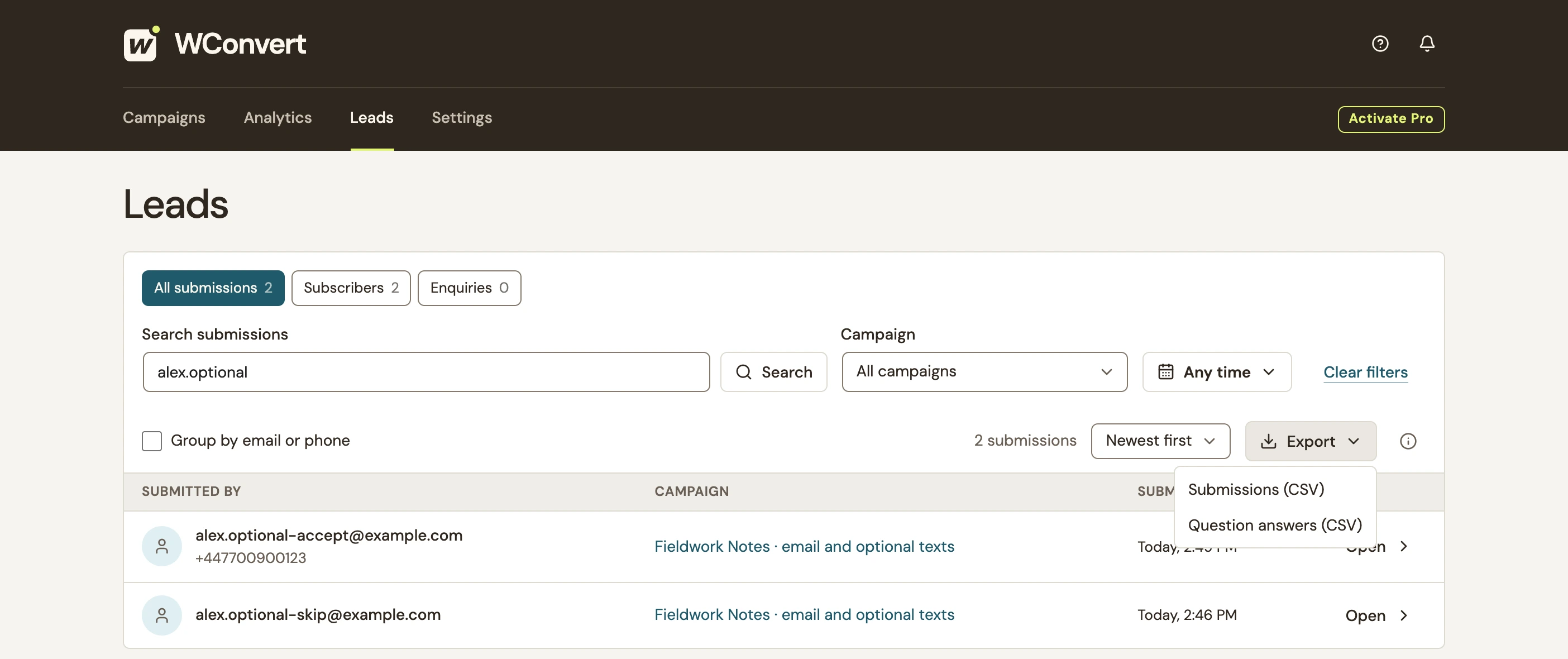 Enlarge screenshot
Understand what the file contains
| Content | Meaning |
|---|---|
| Submission rows | Include identifiers, time, campaign and the contact or interest fields collected by the form. Repeated submissions can be separate rows. |
| Consent columns | Preserve captured wording. Email and SMS also have separate wording and acceptance-time columns. A skipped optional channel can have blank fields. |
| Question answers | The regular export includes a summary. The separate question-answer format can produce several rows for one lead, including multiple selected choices. |
| Phone numbers and formula-like text | Some values have a leading apostrophe so a spreadsheet treats them as text. It is intentional protection, not a missing country code. |
A Free Interest (choice) field belongs in the regular submission export. It is different from a Pro question answer. A question-answer export can be empty when the selected records contain no question answers.
Check and store the file
- Match one exported email or phone and campaign to the record in Leads.
- Check the expected date range and a known answer or consent value.
- Confirm that optional blanks and repeat submissions are expected.
- Store the file where only the intended people can access it, and remove it when it is no longer needed.
Include your WConvert version, the page you tested and any error message.