 WConvert
I cannot find a submission or the numbers look different
Clear hidden filters, inspect grouped submissions and compare the same dates and metrics before deciding that data is missing.
On this page
Before you start
These checks use the core Leads and Analytics screens in Free. Note the campaign, test email or phone, submission time and the two numbers you are comparing.
Start with a submission from the actual published form. Preview → Try the form and a destination’s Send a test do not create a lead.
Remove filters that could hide the record
- Open WConvert → Leads and select All submissions.
- Select Clear filters if it is shown.
- Search for the email or phone used in the test and select Search.
- Use All campaigns and Period → Any time while the campaign or date is uncertain.
- Open the matching record and compare its campaign and time.
If no record appears, check whether the live form actually accepted the submission. Follow form troubleshooting for a visible error. Also review retention and whether someone deleted the record.
Check grouped and repeated submissions
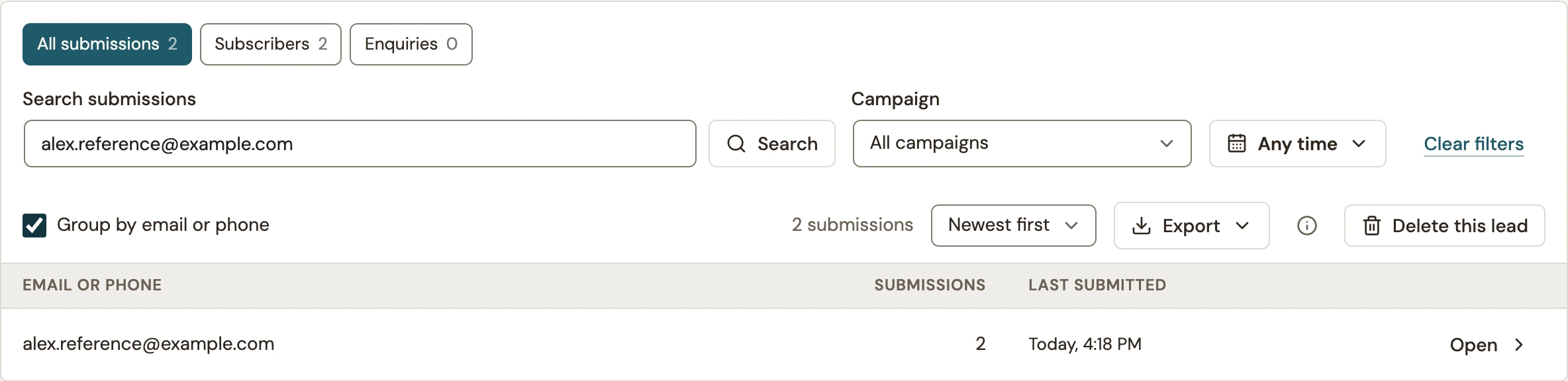 Enlarge screenshot
- Toggle Group by email or phone.
- Read the submission count, not just the number of rows.
- Open the group to inspect its individual submissions.
- Turn grouping off to return to individual rows.
Grouping does not deduplicate or delete records. Independent repeat journeys can create separate submissions. An optional later signup within the same journey can add information to the existing lead, so do not assume every screen creates another row.
Compare the same dates and measures
| Comparison | Check first |
|---|---|
| A test today versus Last 30 days in Analytics | Select Today in Analytics. Its rolling 7-, 30- and 90-day reports use complete days; Leads includes today in recent-day filters. |
| Displayed rows versus submissions | A group can contain multiple submissions, and the list can span multiple pages. |
| Leads versus confirmed subscribers | Leads records submitted data. Subscription status and confirmation are managed by the receiving service. |
| Leads versus campaign results | Read the metric’s label and campaign goal. Some goals count link actions or other outcomes rather than saved contact records. |
| Old report totals versus remaining Leads | Deleting or expiring submissions does not erase their aggregate historical campaign totals. |
| Shown versus people | Shown counts appearances, including repeats. It is not a unique-person count. |
| Email handoffs versus inbox arrivals | Handoffs record accepted sends, on the send day. Confirm actual receipt separately. |
Use the date labels on both screens to align the window. For details, see Read campaign results and send statuses.
Run one controlled check
- Use a new fictional test address on a controlled local test, or an address you control when a service will send messages.
- Submit the published form once and note the time.
- Search Leads with All submissions, All campaigns and Any time.
- Open the record and match its campaign and time.
- For a campaign-result comparison, choose Today and the relevant goal in Analytics. Check service delivery separately if required.
If a discrepancy remains, send support the campaign, exact date filters, metric labels and a redacted example. Explain which step produced the unexpected result.
Include your WConvert version, the page you tested and any error message.