 WConvert
Review privacy guidance for forms and your site
Find WConvert’s data summary and suggested policy text, then review the notices visitors see on each form.
On this page
Before you start
These controls are included in Free. First review your actual campaigns, destinations, retention setting and any extra services used on the site. The guidance must describe what your site really does.
This is a guide to WConvert’s controls. Its suggested text is a starting point to review and adapt; it does not establish that every privacy requirement for your site has been met.
Review what is stored and sent
- Open WConvert → Settings → Data & privacy.
- Expand What visitor data is stored.
- Review what is kept in WConvert, what is stored in the visitor’s browser and which configured services receive data.
- Compare the listed retention with your intended policy and review the destinations used by each campaign.
Keep local records, browser display state, aggregate campaign totals and service copies distinct. They have different purposes and retention behavior.
Review the suggested policy text
- From the data summary, open Suggested privacy-policy text.
- In the WordPress policy guide, expand the WConvert section.
- Review the suggestion against your site’s actual use. Use its copy control if helpful.
- Edit your site’s Privacy Policy page to include appropriate wording, then check which page WordPress has selected under Settings → Privacy.
Revisit this text when you change connected services, data retention or tracking features. Avoid copying a section that describes behavior your site does not use.
Check privacy guidance in the editor
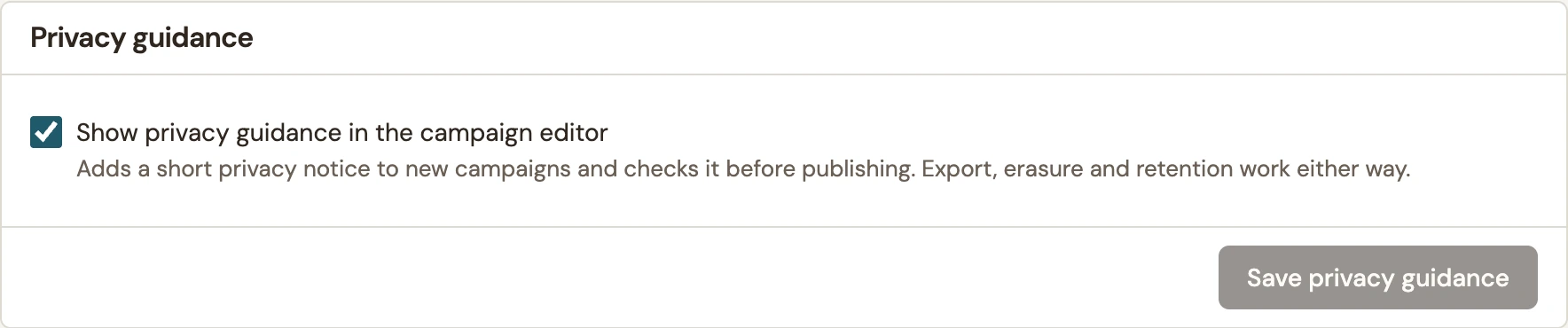
Under Data & privacy → Privacy guidance, review Show privacy guidance in the campaign editor. Select Save privacy guidance if you change it.
 Enlarge screenshot
Enabling the setting does not mean every older campaign has been reviewed. Open existing campaigns individually, inspect their notice and consent wording, and test any Privacy Policy link.
Check the published result
- In the campaign editor, review the visible notice, consent wording and acknowledgement.
- Open Review & publish and address relevant privacy notices, including a missing Privacy Policy page.
- Publish and open the actual form. Follow its policy link and check the wording on mobile.
- Submit a controlled test and inspect the recorded consent in Leads.
If someone requests their data, the Data & privacy screen links to WordPress’s export and erasure tools. Copies at connected services and exported files require separate handling.
For a reference to the different data locations and counts, read What WConvert stores, sends and counts.
Include your WConvert version, the page you tested and any error message.