 WConvert
Move a campaign design to another site
Export a WConvert design file, review it in a receiving draft and configure that campaign before publication.
On this page
Before you start
Design export and import are included in Free. The receiving site needs WConvert and any paid features used by the design. PHP ZIP support is required; importing included images also needs permission to upload media.
| Included | Configured or managed separately |
|---|---|
| Layout, styles, text, buttons and screens | Campaign settings, display rules, destinations, account connections and leads |
| Supported images included in the file | Linked files and other URLs that still point to the source site |
| Current design edits, including unsaved changes | Publication on the receiving site |
Export the source design
- Open the source campaign in its editor.
- Check the current design edits; the export can include edits you have not saved yet.
- Open Campaign actions → Export design.
- Inspect the preview and any image warnings.
- Select Download design and keep the resulting
.wconvert.zipfile.
If an image cannot be included, replace it before exporting or deliberately use Export without these images. Review any omitted images on the receiving site.
Import and review the design
- On the receiving site, create or open the intended draft.
- Choose Campaign actions → Import design, then Choose file and select the WConvert ZIP.
- Choose Use file content to bring in its words and images, or Keep my current content to fit the current content into the imported design.
- Inspect every screen on Desktop and Mobile. Review any notices and links.
- If you edit a link, select Update preview and inspect the result. Complete the review checkbox when shown.
- Select Apply to draft.
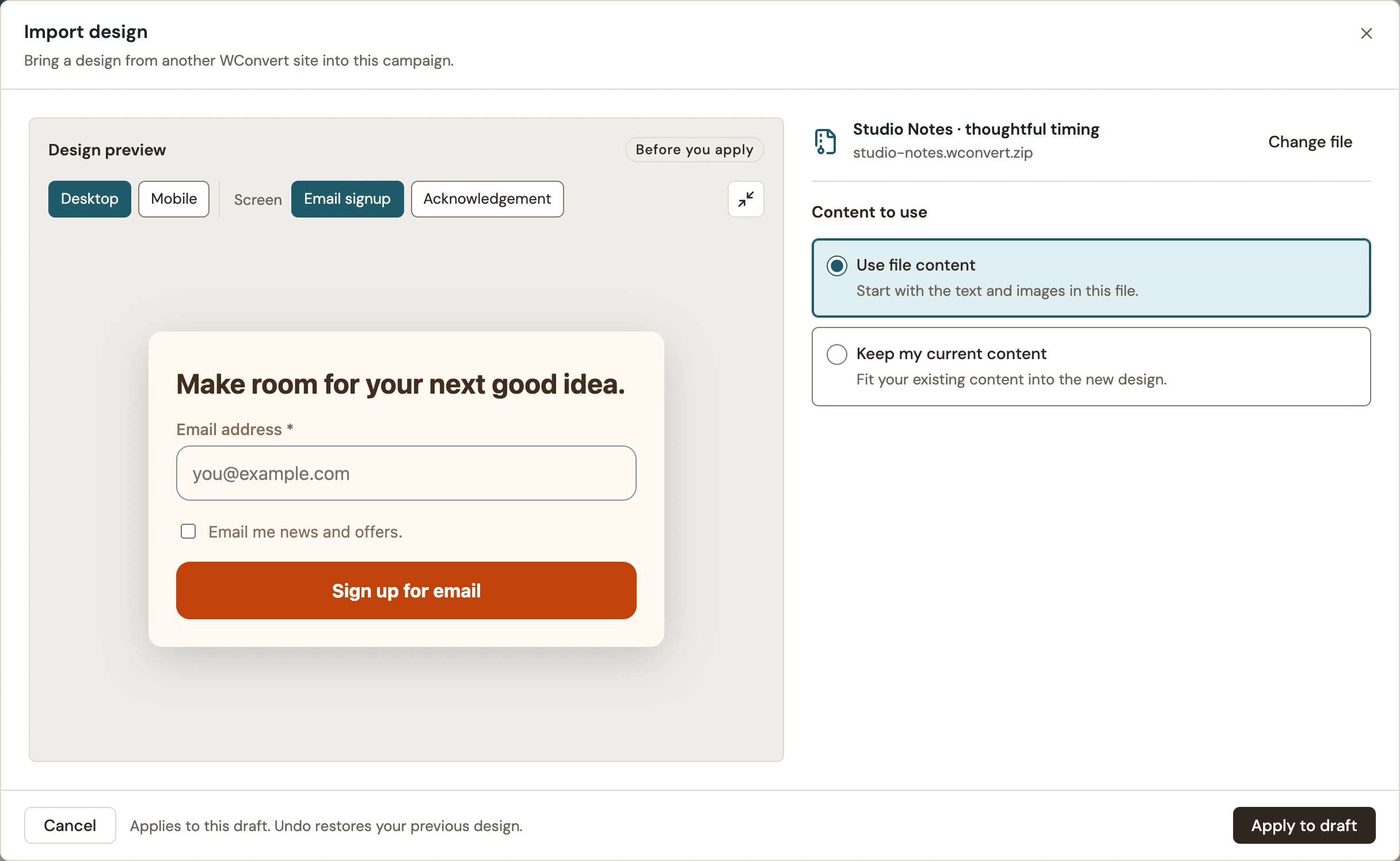 Enlarge screenshot
Included images are added to the receiving Media Library when applied. Applying affects the draft; it does not publish. Undo can restore the previous design while that editing history is available.
Configure and test the receiving campaign
- Review the receiving campaign’s goal, fields, consent and acknowledgement.
- Configure its destinations and display rules for this site. Do not assume the export transferred them.
- Check linked pages, images and downloadable resources without an administrator login.
- Save, preview and publish when ready. Test a real submission or link action on the receiving site.
For agencies moving client designs
Use the ZIP as a reusable design, not as a complete campaign backup. Review branding, client-specific wording, URLs and the receiving site’s service accounts before publishing. Keep the source campaign until the receiving version has passed its own checks.
Include your WConvert version, the page you tested and any error message.