 WConvert
Weekly email reports
Choose who receives the Monday campaign summary, test delivery and read last week’s results.
On this page
Choose who gets the report
With WConvert Free 1.1.0 or later, weekly reports are on by default and go to the WordPress administration email address. You can send the report to the people who review campaign performance.
- Sign in as an administrator and open WConvert → Settings → Email reports.
- Under Weekly summary email, keep Send me a weekly summary selected.
- In Send to, enter up to five addresses, separated by commas. Leave it empty to follow the administration address in Settings → General, including future changes to that address.
- Select Save email reports. Check Next summary for the scheduled time in your site’s time zone.
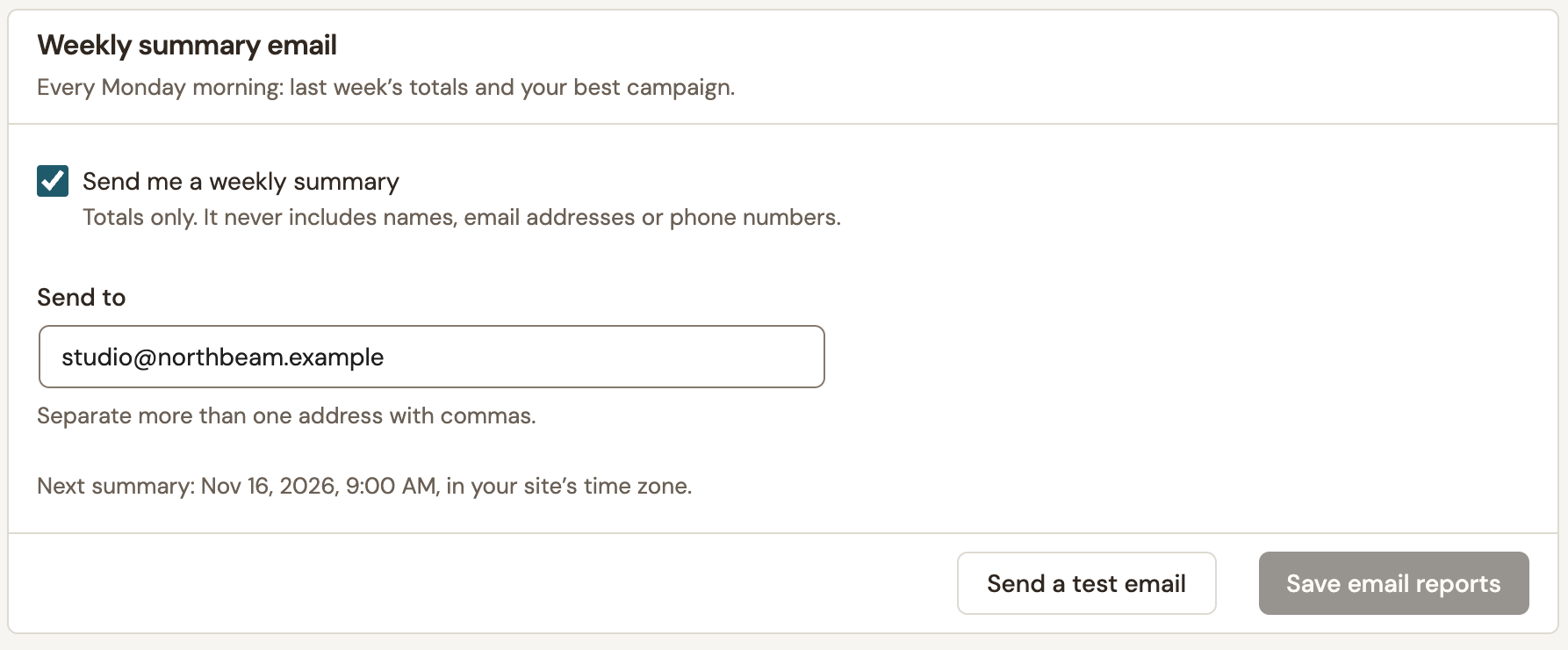 Enlarge screenshot
To stop scheduled reports, clear Send me a weekly summary and select Save email reports.
Send a test email
- Save an address you can check, then select Send a test email.
- Check the address in the confirmation and open the message in that mailbox. You can send a test even before a campaign has recorded activity.
Read the weekly results
The summary covers the seven completed days before it runs in your site’s time zone. A Monday send covers the previous Monday through Sunday. The date range is printed above the headline. When comparison data is available, the figures underneath show how the results changed from the preceding seven days.
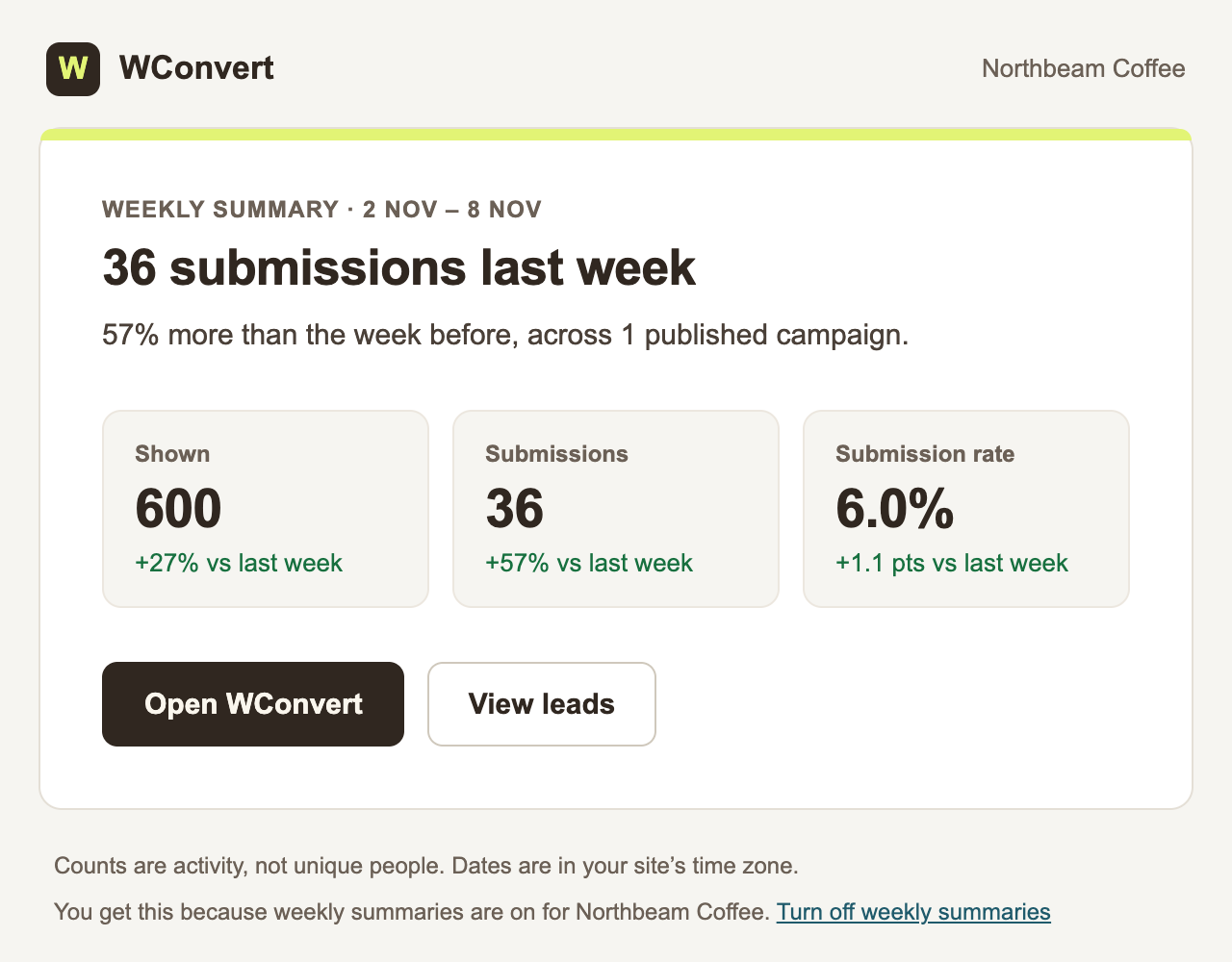 Enlarge screenshot
The result follows the campaign goal. A signup campaign can report submissions and a submission rate. A message-only campaign reports appearances. The email contains aggregate results and omits individual lead names, email addresses and phone numbers.
To inspect the figures, open WConvert → Analytics and set Custom dates to the dates printed in the email. The rolling Last 7 days preset includes today and can already cover a different week. See Read campaign results and compare dates.
If a scheduled report is missing
WConvert schedules the first send for Monday at 9 a.m. in the site’s time zone. WordPress runs it through WP-Cron, so on a quiet site the send may happen later. The next scheduled time appears in Email reports.
Check that reports are enabled, a campaign has been published and at least one campaign appeared during the reporting week. WConvert skips weeks with no appearances. If a test reaches the mailbox but a scheduled report is missing after an active week, check that scheduled WordPress tasks are running.
Include your WConvert version, the page you tested and any error message.