 WConvert
Understand goal, screen and answer reports
Read conversions, signup activity and saved answers without confusing appearances, people and delivery.
On this page
Before you start
Core Analytics is included in Free. Pro journey features can add activity to these reports. Open a campaign report from Campaigns or Analytics and choose the relevant dates. For a test just made, choose Today.
Different reports answer different questions. Keep the campaign, date window and metric name visible when comparing numbers.
Read results in the context of the goal
Watch the campaign-results walkthrough for a practical comparison of goal metrics, daily numbers and screen activity.
| Setting | What it means |
|---|---|
| Shown | Campaign appearances, including repeats. Not unique visitors. |
| Email submissions / Enquiries captured | Accepted form activity for that goal. Not confirmed subscribers or unique contacts. |
| Resource requests | Requests for the offered resource. Sending and receipt require separate checks. |
| Link clicks | Clicks to linked offers or content. Not purchases. |
| Quiz completions | Completed quiz journeys. A completion can occur without a saved contact record. |
| Basket additions | Campaign appearances associated with a confirmed addition. Separate item-quantity counts can be larger; neither measure proves a purchase. |
| Rate | The relevant result divided by Shown. A missing denominator produces a dash rather than a meaningful rate. |
Email handoffs use the send day and mean accepted for sending. Lead and answer reports use submission dates. Read each panel’s date label before assuming a disagreement is an error.
Read signup and screen activity
In a campaign report, use Screen activity or scroll to Signup and screen activity. A simple form may show accepted signups without a multi-screen breakdown.
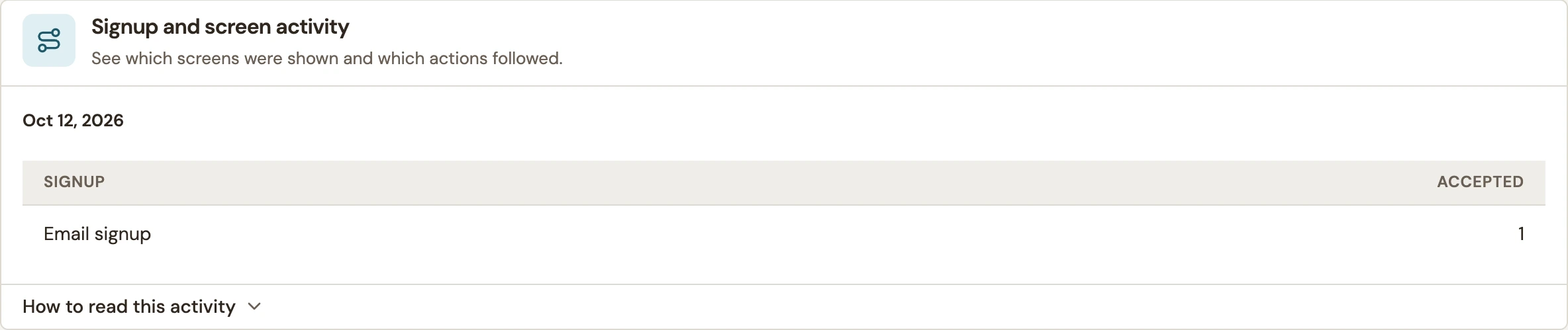 Enlarge screenshot
| Setting | What it means |
|---|---|
| Shown | The screen was presented. |
| Completed | The visitor completed the recorded action for that screen. |
| Skipped | An optional screen was skipped. |
| Dismissed | The visitor closed the presentation from that screen. |
These are activity counts, not a unique-person funnel. Do not calculate abandonment by simply subtracting Completed from Shown. A visitor can take several actions, and changed screen versions can appear separately. A dash can mean no recorded activity for that cell.
Read the Answers report
Campaigns with saved interests or question answers can show Answers. The panel uses saved submissions for the selected dates; anonymous answers are excluded. Percentages use responses to each question, rather than every campaign appearance.
- Multiple-choice questions can total more than 100% when several answers are allowed.
- Changed choice labels stay separate.
- Answers added later belong to the submission’s date.
- Deleting or expiring submissions can change answer totals, even when aggregate campaign history remains.
If a report says it is showing a limited number of records, choose a shorter period. Answers can be limited to the latest 1,000 submissions; screen activity can also be truncated.
Verify one result end to end
- Note the campaign and time, then complete one intended action on its published page.
- If it captures details, locate the matching record in Leads.
- Choose Today in the campaign report and inspect the relevant goal and signup activity.
- For saved choices, check Answers using the submission’s date.
- Check delivery at the destination separately.
Preview tests are not live results. If numbers still differ, use missing-submission and count troubleshooting.
Include your WConvert version, the page you tested and any error message.