 WConvert
Block email addresses or domains and add exceptions
Use site-wide email filters and verify both a blocked address and an allowed exception.
On this page
Before you start
You need Pro and a published form with an email field. These filters apply to every campaign on the site. Decide which exact addresses or domains to block and whether a specific address needs an exception.
Use a staging site or controlled test addresses when checking a new rule. Keep a copy of the current lists so you can restore the intended settings afterward.
Add the rules
- Open WConvert → Settings → Spam protection.
- Expand Email filters if it is collapsed.
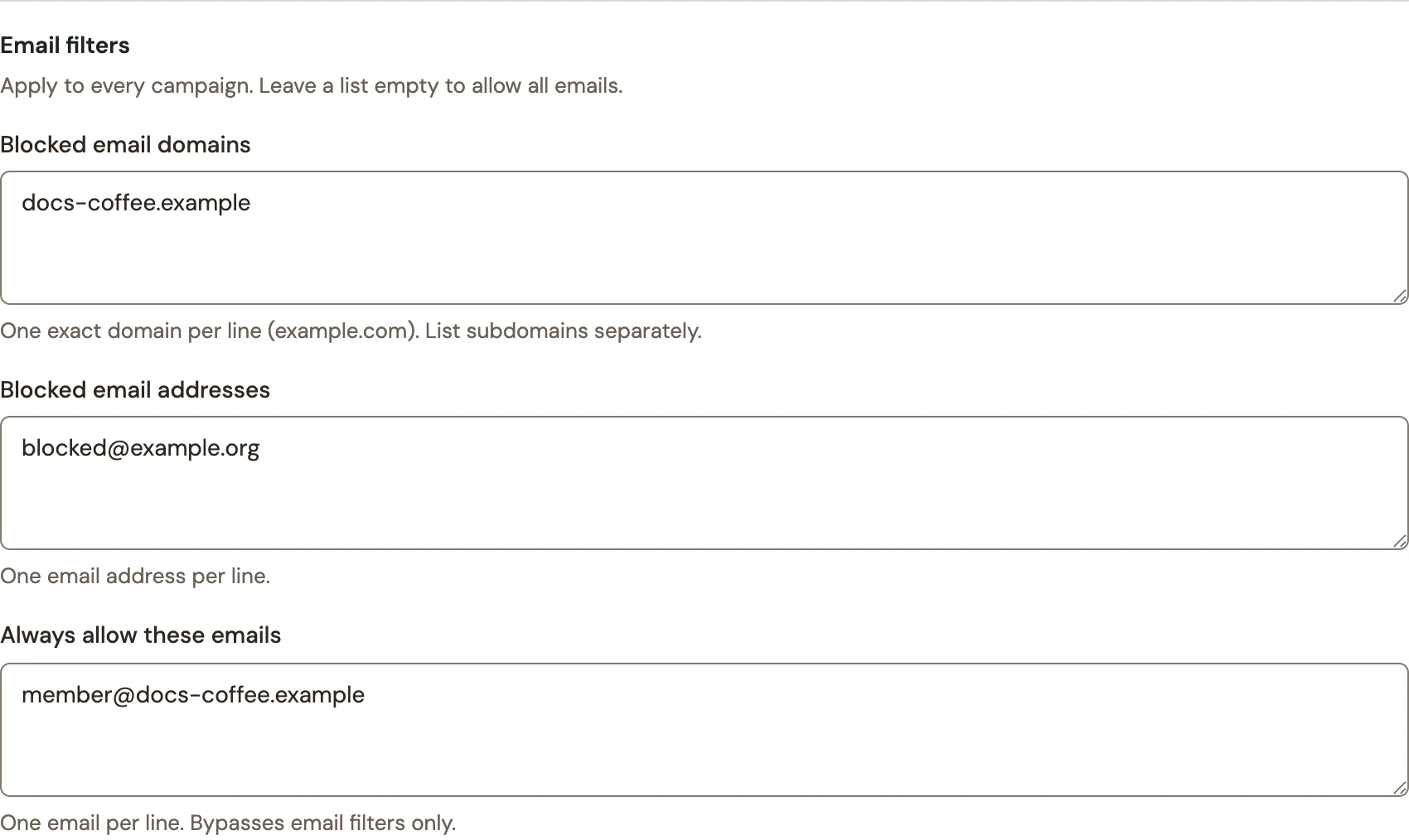
- Enter one exact domain per line in Blocked email domains.
- Enter individual addresses in Blocked email addresses.
- Add any specific exceptions to Always allow these emails, then choose Save spam protection.
 Enlarge screenshot
Understand what matches
| Setting | What it means |
|---|---|
| Exact domains | Blocking example.com does not also block mail.example.com. Add subdomains separately. |
| Exact addresses | An address entry blocks that mailbox. Matching ignores capitalization and surrounding spaces. |
| Allowed exceptions | An allowed address bypasses these email lists, including a blocked domain. It does not bypass bot verification or other form errors. |
| List limits | Up to 100 valid entries per list. Wildcards are not supported. |
| Empty lists | An empty list adds no block. Other lists and built-in protection can still apply. |
Test a block and an exception
- On the actual form, submit an address that matches your blocked rule.
- Confirm that it shows Please use a different email address. and does not complete the signup.
- Try an allowed exception with the same blocked domain. Complete all required fields and consent normally.
- Confirm the successful submission in Leads, then verify delivery separately if the campaign sends to a service.
- Remove temporary test entries and save the intended lists.
Protection activity can show email-filter rejections, but those counts are checks, not unique people or confirmed spam.
If saved filters become unavailable
The plugin can pause forms when saved email filters are no longer available on the site. Review the warning in Spam protection and use its offered removal action if you want to resume without those filters.
Related: built-in spam checks and form rejection troubleshooting.
Include your WConvert version, the page you tested and any error message.