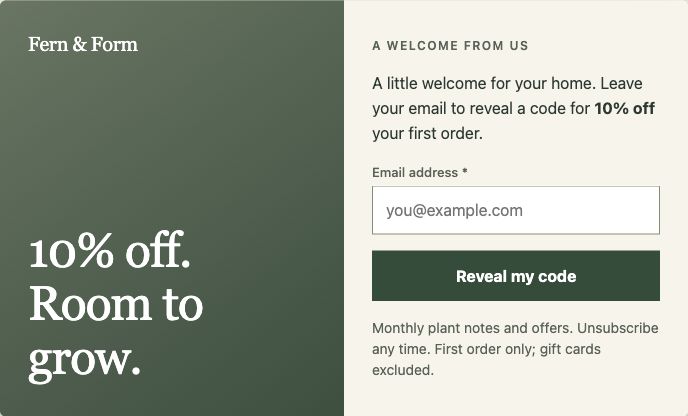
Show forms you already use in a popup, or start with its own subscription form. A useful fit for an established WordPress form setup.
Popup Maker popupSubscription or integrated formSubscribers or form records
Built-in subscription form for email capture
Integrations with established form plugins
Keep complex form workflows in place
Illustrated workflows. Integrated forms may use another plugin’s storage or a connected provider. Neither product replaces your newsletter or SMS sending service.
WHAT YOU WILL ACTUALLY USE
Compare the capability. Then check the plan.
Checks show included capabilities. “Not built in” means a separate plugin or tool is needed; it is not part of Popup Maker itself.
AvailablePaid planPlan names appear in each cell.Sources
WConvert vs Popup Maker: capabilities, editions and official sources.
What matters
WConvertFree & Pro
Popup MakerFree, Pro & Pro+
The shared foundations
Runs inside WordPress
Available:Free & Pro
Available:Free & paid
Unlimited campaign impressions
Available:Free & Pro
Available:Free & paid
Free edition
Available:Free on WordPress.org
Available:Available on WordPress.org
Built-in email signup form
Available:Free
Available:Free subscription form
Local contact records
Available:Lead log in WordPress
Available:Built-in form subscribers
Everyday control
Control repeat appearances
Available:Campaign frequency & site-wide limits
Available:Free · configurable popup cookies
Stop repeating after signup
Available:After-submission suppression
Available:Successful-form cookie settings
Built-in CSV export
Available:CSV from the lead log
Not built inUse a separate database export tool
How you collect more detail
Built-in phone & enquiry fields
Available:Built-in fields · Free
Not built inRequires a separate form plugin¹
Built-in multistep forms
Available:Free; branching in Pro
Not built inRequires a separate form plugin¹
Consent on the signup form
Available:Free · wording saved with lead
Available:Free · configurable consent
When to show it. How to improve it.
Page & post targeting
Available:Free
Available:Free
Scroll-triggered campaigns
Available:Free
Paid planPro
Date & time scheduling
Available:Free
Paid planPro
Exit-intent campaigns
Paid planPro
Paid planPro
Built-in A/B testing
Paid planPro
Paid planPro
WooCommerce tools
Paid planPro · recommendations & cart return
Paid planPro basic; Pro+ advanced
¹ Popup Maker’s Gravity Forms integration supports complex and multi-page forms. The form plugin, its license and its capabilities are separate. This is not a claim that every integration supports every field or workflow.
Check destinations separately, too. WConvert includes MailPoet in Free; WSMS is coming soon. Mailchimp, Brevo and Mailtrap are Pro. Planned connections remain marked Soon. Find your integration
PRICE THE JOB YOU NEED DONE
Start with the job. See the yearly cost.
Compare one-site options for your next campaign, including the first year and the ongoing price.
WConvert Free
$0free edition
Unlimited campaign impressions
Create the signup form and review leads in WConvert. MailPoet is included in Free. WSMS is coming soon.
Pro+ includes cart management, discount automation and revenue attribution. Basic WooCommerce support is also in Pro.
These are different commerce toolsets, not matching bundles. WConvert is not an abandoned-cart email service.
USD, checked 9 October 2026. Popup Maker’s paid figures include its advertised 40% first-year offer and regular renewal. Taxes and external services are separate. Offers can change; these are task comparisons, not identical bundles.
WConvert Pro has the same features across site counts: 1 site · $49/year / Up to 5 sites · $99/year / Unlimited sites · $199/year. See pricing and availability.
A SHARED WORDPRESS FOUNDATION
Your hosting. Thoughtful data choices.
Both products run in WordPress. Popup Maker’s built-in form stores subscribers locally, too. Self-hosting alone is not the deciding difference.
With WConvert, you can review consent wording with a lead, choose retention and use WordPress personal-data export and erasure. Check the full path through your hosting, backups, email service and optional verification tools.
Yes. Its WordPress.org plugin includes popup creation and a built-in subscription form. Paid plans add capabilities such as scroll and exit triggers, scheduling and split tests. WConvert also has a free edition; it is available on WordPress.org.
Does Popup Maker already have forms and subscriber storage?
Yes. Its built-in subscription form collects email and name details, supports consent settings, and stores subscribers locally. More complex forms can come from integrations such as Gravity Forms. WConvert brings phone fields, enquiries, multistep capture and a searchable lead log into its own workflow.
Do both products offer unlimited impressions?
Yes. Neither charges by campaign impressions. Site licenses, hosting capacity and any connected service’s quotas still matter. Visitor frequency settings are controls you choose, not billing limits.
Can I keep my existing form plugin?
Popup Maker is worth considering if your current forms already handle payments, registrations or other complex workflows. Its documented form integrations can keep that setup in place. WConvert has its own form fields and lead-capture workflow; check the fields and destinations you need before switching.
Is WConvert more private because it is self-hosted?
Self-hosting is a shared foundation here, not an exclusive WConvert benefit. WConvert stores lead records and core analytics locally, with retention settings and WordPress data export and erasure. External destinations, mail providers and optional verification services have their own data flows. Neither tool makes a site automatically compliant.
Can I import Popup Maker popups into WConvert?
There is no direct importer. Recreate one campaign, check its fields and consent, test the timing and destination, then turn off the original. Keep existing subscribers in your email service; do not treat changing plugins as new consent.
Will switching make my site faster or convert better?
We have not run a controlled performance or conversion benchmark between these products. Results depend on your design, offer, audience, scripts and hosting. Try one comparable campaign before moving everything.
MAKE ROOM FOR YOUR NEXT LEAD
Your next campaign. Your kind of workflow.
Explore WConvert, or talk through the setup you want to build.
 WConvert
 Popup Maker
 WConvert